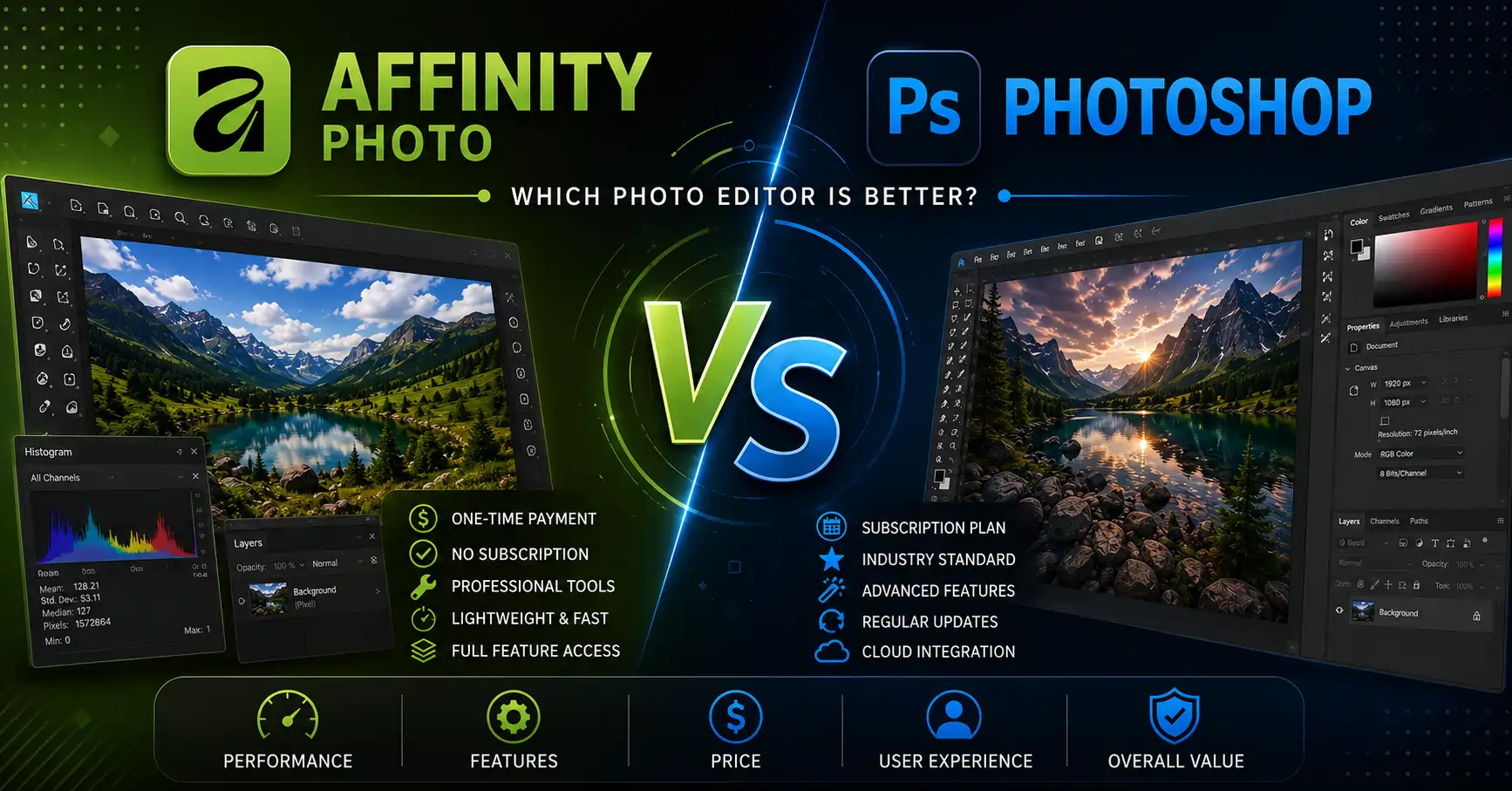
Affinity vs Photoshop: Which Photo Editor Is Better in 2026?

Introduction
Many photographers, designers, and digital artists eventually find themselves asking the same question: Is it worth paying for Photoshop every month, or should Affinity vs. Photoshop be a real choice in 2026?
Five years ago, the answer was automatic. You paid Adobe because, well, everyone else did. Today, that logic breaks.
Affinity has grown from a scrappy alternative into a full-on creative suite, and after Canva’s acquisition, it’s totally free.
Photoshop, meanwhile, has gone all in on AI: Generative Fill, Remove Tool, and Firefly models that can build pixels from a text prompt.
Table of Contents
What Is Photoshop?
Photoshop was launched in 1990 and soon became the verb for image editing. Today, it is at the center of Adobe Creative Cloud.
You don’t buy an app; you buy into an entire ecosystem that includes Lightroom, Illustrator, Premiere Pro, InDesign, After Effects, and Firefly.
Adobe’s big shift happened from 2023 to 2025. Generative Fill arrived, letting you select an area and type what you want.
The latest models promise higher resolution, cleaner edges, and sharper details as well. You also get Generative Expand, Remove Tool, and Neural Filters, all nondestructive and layered.
Pricing is subscription only.
The Photography Plan bundles Photoshop and Lightroom for around 19.99 USD per month.
Creative Cloud Pro with 20-plus apps is listed at 33.99 USD per month after an introductory period.
What you pay for is not just tools.
It’s the PSD standard, cloud libraries, team collaboration, and 30 years of tutorials for every possible problem.
This is the core of the Photoshop subscription model and why Photoshop for professionals remains dominant.
What Is Affinity Photo?
Affinity Photo comes from Serif, a British company on a mission to rebuild pro creative tools from the ground up, no legacy bloat. Version 1 dropped in 2015. Affinity Photo landed in 2022 with nondestructive RAW, compound masks, and live mesh warp, all for a one-time $69.99.
In 2024, Canva bought Serif.
In 2025, they did something really surprising.
They took the three individual apps off the market and consolidated Photo, Designer, and Publisher into one single application called Affinity. Then they made it totally free, forever. Ash Hewson, the CEO, said that there is no catch and no stripped version, a full professional-grade experience for all.
The new app supports PSD, AI, PDF, SVG, TIFF, IDML, and more.
So you can open client work directly. Under the hood, you still get the Affinity Photo features that made Affinity so well-received:
- Nondestructive editing
- Smart Selections
- live filters
- batch processing
GPU acceleration keeps things fast, and editing is always real-time, even with endless layers, at a zoom of 10,000,000 percent.
The AI story is different. Core Affinity does not have generative AI built in. If you want Generative Fill, Expand and Edit, and Remove Background, you activate Canva AI Studio within Affinity.
For that, you need a Canva premium account, which is priced at $120 a year. Canva maintains that the tools run on your device, and your work is not used to train AI.
Affinity Photo vs Photoshop: Feature by Feature
User Interface Comparison
Photoshop’s interface is familiar, because it changes so infrequently. Top menu. Tools on the left. Panels on the right.
You can save workspaces, so if you work with photography, painting, or 3D, you have different setups. It’s like a hot desk for creatives. If you walk into any agency on the planet, you know where everything lives.
Personas have been used by Affinity in the past. In Photo 2, you clicked between Photo, Liquify, Develop, Tone Mapping, and Export. Each persona showed only relevant tools.
The new unified Affinity replaces that with customizable Studios. You can mix Pixel tools, Vector tools, and Layout tools in one workspace, hide what you do not use, and save setups for different projects. In practice, Affinity feels less cluttered.
Techloy notes it remains the more approachable choice for beginners, with a cleaner interface.
Photoshop feels deeper but busier. For a real estate editor who only needs curves, clone, and export, Affinity lets you build a three-panel studio and ignore the other 200 features.
Map your top 10 shortcuts first if you are switching from photoshop to affinity. F, B, V, and spacebar work the same. You will feel at home in an hour.
Learning Curve
Photoshop has a steeper curve because it has more depth. You can find a YouTube tutorial for any version from the last 20 years. The community is unmatched. Affinity is easier to get started with. The tools have plain names.
The official workbooks are great. The community is smaller but very active since the launch was free. You might search longer for niche solutions, but the core editing concepts transfer directly.
RAW Photo Editing
Photoshop utilizes Adobe Camera Raw. It has the most lens correction database, great highlight recovery, and now AI Denoise.
For wedding photographers culling 3,000 RAWs, the Lightroom and Camera Raw pipeline is still king. Affinity’s Develop Persona is nondestructive. You get exposure, white balance, curves, lens corrections, and detail refinement.
It is fast because of GPU acceleration. Where it lags is batch catalog management and AI noise reduction. You develop one image beautifully, but you do not get Lightroom’s library.
Give Affinity a go if you’re a landscape shooter, and you edit ten hero shots; it’s plenty. For high volume, Photoshop wins.
Layer Management
Both Apps Handle:
- layers
- masks
- groups
- clipping masks
- blend modes
Smart Objects are the secret weapon of Photoshop. You can place a RAW file or Illustrator logo and apply filters nondestructively; double-click will take you back to editing the source.
This is what makes it the most essential for packaging mockups and brand work. Affinity counters with Live Filters and Live Masks. Any blur, sharpen, or lighting filter stays editable in the layer stack.
You can also do luminosity masking with Blend Ranges without any extra plugins. And as the engine is modern, it stays smooth even with hundreds of layers.
AI Tools and Automation
This is the biggest gap in Photoshop vs. Affinity Photo. Photoshop’s AI is native and deep. Generative Fill allows the removal of large objects by selection and replacement pixel generation.
The most recent Firefly models enhance detail and edges. Canvas size can be increased, backgrounds can be changed, and Neural Filters can be run for skin smoothing or style transfer.
Adobe has imposed a limitation on heavy usage through Generative Credits. Affinity’s core is manual. You don’t get text-to-image inside the app unless you pay for Canva AI.
With a Canva Pro subscription at about $12.99 per month, you unlock Generative Fill and Remove Background directly in Affinity. It works well for simple removals but lacks the depth and controls of Photoshop.
For AI-heavy work like e-commerce background generation or concept art, that’s hours saved in Photoshop. For manual control and just the occasional AI cleanup, Affinity plus optional Canva is cheaper.
Selection Tools
Photoshop’s Select Subject, Object Selection Tool, and Select and Mask all work with AI trained on millions of images. Hair selection on a busy background often works in one click. Affinity has a Smart Selection Brush, Flood Select, and Smart Selection.
It is accurate but manual. You paint the selection and refine edges. No AI subject detection in the free core. Real-world test: picking out flyaway hair on a model. Photoshop took 45 seconds and Affinity took 3 minutes with refinement. Both got there, but speed matters for volume.
Object Removal and Retouching
Photoshop’s Remove Tool and Generative Fill excel at big area removal. Pick hikers on a mountain, slightly expand the selection, and the AI rebuilds the rocks and sky.
It uses the Inpainting Brush, Patch Tool, and Healing Brush. The inpainting is great for small distractions.
Fstoppers testing found it to actually excel at inpainting and mask application in some cases where Photoshop struggled with edge preservation on complex textures.
Beauty retouching includes Frequency Separation as a live filter. You don’t need an action. Dodge and burn work the same. Many retouchers prefer its tactile feel.
Graphic Design Features
Photoshop was never a layout app. For multi-page brochures, you need InDesign.
The new Affinity changes the equation. Because vector, photo, and layout tools live together, you can design a logo in vector mode, retouch a product photo in pixel mode, and flow it into a trifold brochure in layout mode, all without leaving the app.
Smart Master Pages and shared text styles keep everything consistent. The all-in-one approach trumps a three-app Adobe purchase for small business owners, making their marketing.
Digital Painting
Photoshop’s brush engine is the industry standard. Pressure, tilt, rotation, scattering, texture, and a huge marketplace of Kyle Webster brushes.
Affinity’s brush engine is surprisingly powerful; it offers stabilization, wet edges, and symmetry, with great Apple Pencil support on iPad. It feels faster on the same hardware, simply because the app is leaner. It doesn’t have a library like Photoshop for brushes, but for illustration, it holds up.
Typography
Photoshop does pretty well with text, enough for headlines and simple layouts.
What it does inherit from Affinity Publisher, though, is superior control over typography: OpenType features, text styles, baseline grid, and text flow across pages. For brand guidelines and editorial design, the win goes to Affinity.
Filters and Effects
Both have blurs, distortions, lighting effects, and sharpening. Photoshop has more legacy filters and third-party support. Affinity makes every filter live and nondestructive by default, encouraging experimentation.
HDR and Panorama Editing
Both merge HDR and stitch panoramas. Affinity’s HDR merge in the Tone Mapping persona and panorama stitching are fast, and GPU-accelerated, with good alignment. Affinity has excellent focus stacking built in, popular with macro photographers.
Performance and Speed
This is where Affinity shines. It is known for fast performance, built from the ground up for modern hardware, including native Apple Silicon. It loads faster and handles huge layer documents smoothly.
Photoshop flies on high-end machines, 32GB RAM, and a strong GPU, But it’s famously a resource hog.
That complexity, dozens of layers, heavy AI features, demands some serious power. For laptop editors or creators in India working on mid-range PCs, Affinity feels noticeably snappier.
Hardware Requirements
- Photoshop recommends a minimum of 16GB RAM, 32GB for AI, and a recent GPU.
- Affinity runs well on 8GB and uses Metal on Mac, Direct3D on Windows.
It also stays responsive on older machines.
File Compatibility
- Photoshop opens PSD, PSB, TIFF, JPEG, PNG, and HEIF formats.
- PSD is the exchange format that is universally accepted.
- Affinity opens and edits most PSD files, AI, PDF, SVG, TIFF, and IDML.
For collaboration, this is very important for compatibility. On import, complex layer styles, smart filters, and text warps may rasterize. For print shops that require layered PSDs, first test.
Plugin Support
Photoshop has the largest ecosystem when it comes to plugins. Topaz Photo AI, Nik Collection, Retouch4me, Luminar Neo, and FX panels, everything plugs in. Affinity supports a subset of Photoshop 8bf plugins, mostly filters.
It does not support the full panel ecosystem. If your workflow depends on a specific retouching panel, stay with Adobe.
Mobile Experience
Photoshop has full iPad and web versions with cloud documents. You can start on a desktop and continue on an iPad. Affinity’s classic iPad apps were really good. The new unified Affinity for iPad comes next year. Currently, the desktop is only available for the free unified version.
Collaboration Features
Collaboration features in Photoshop include Creative Cloud Libraries, shared cloud documents, and version history. Teams can work together in real time, co-editing and leaving comments.
Affinity integrates with Canva. You can export Affinity projects to Canva in a handful of clicks and share with clients.
For solo freelancers, that’s enough. For agencies with art directors commenting live, Adobe wins.
Cloud Storage
Photoshop plans come with 100GB to 1TB of cloud storage. Affinity has no native cloud; it uses Canva storage if you have Pro.
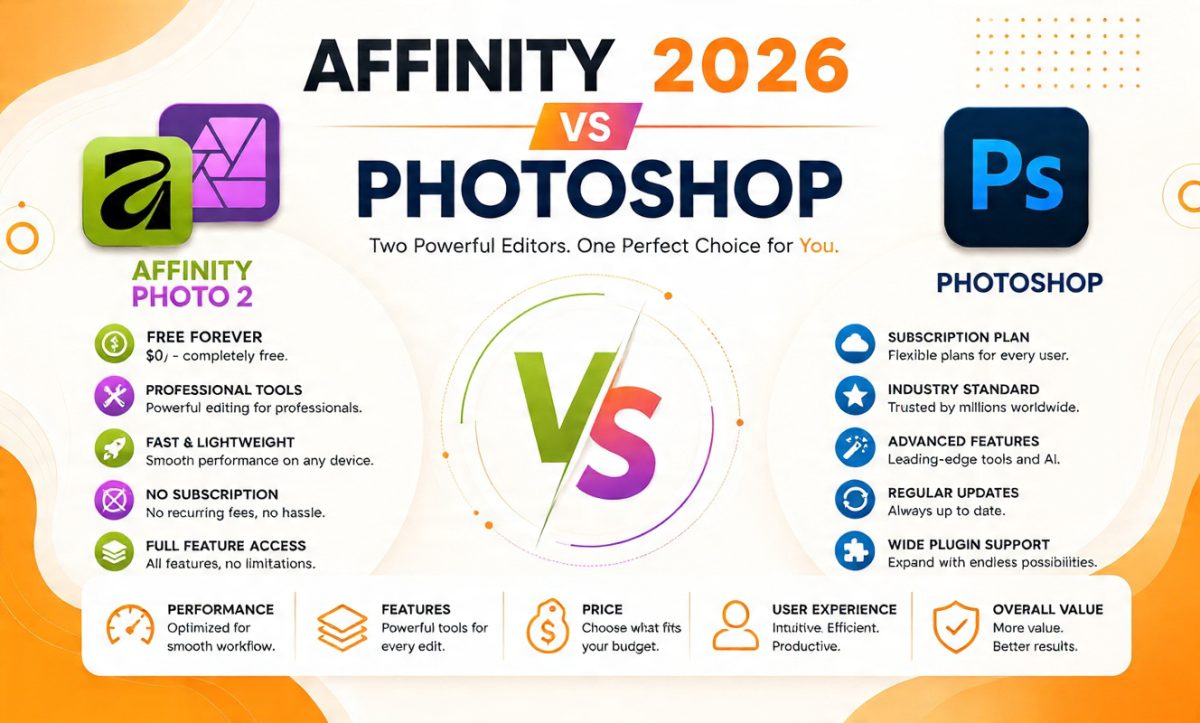
Affinity vs Photoshop
Complete Feature & Pricing Comparison (2026) — formerly Affinity Photo 2
Best Value
Affinity
Best AI
Photoshop
Fastest
Affinity
Best Ecosystem
Photoshop
| Feature | Affinity (Free) | Photoshop | Winner |
|---|---|---|---|
| Pricing | Free forever ($0) (Affinity Photo 2 was $69.99 before Canva made it free in 2025) | $19.99/mo Photography Plan ($239.88/yr) Single App: $22.99/mo ($275.88/yr) Creative Cloud Pro: $33.99/mo ($407.88/yr) | Affinity |
| AI Tools | Live Filters, Macros, Manual editing. | Generative Fill, Remove Tool, Neural Filters. | Photoshop |
| RAW Editing | Excellent non-destructive RAW workflow. | Adobe Camera RAW with advanced lens profiles. | Tie |
| Layers | Live filters and compound masks. | Smart Objects and advanced adjustments. | Photoshop |
| Performance | Lightweight and optimized. | More demanding on system resources. | Affinity |
| Batch Editing | Built-in batch processing. | Actions plus Lightroom integration. | Photoshop |
| Plugins | Supports many Photoshop plugins. | Huge plugin ecosystem. | Photoshop |
| Cloud | No native cloud platform. | Creative Cloud sync and libraries. | Photoshop |
| Learning Curve | Clean interface for beginners. | Steeper but extremely powerful. | Affinity |
| Best For | Freelancers, creators, photographers. | Agencies, teams, AI-heavy workflows. | Depends |
Is Affinity Like Photoshop?
Yes, in the ways that matter for daily editing. The layers work the same. Masks, blend modes, adjustment layers, healing tools, clone stamp, curves, and levels are all present. Keyboard shortcuts are similar.
Major differences you will feel:
- No Smart Objects. You use embedded documents instead.
- Personas or Studios instead of endless panels.
- AI is optional and paid via Canva, not native.
- The plugin market is smaller.
- File exchange is good but not perfect for complex PSDs.
If you are asking if Affinity is like Photoshop for basic retouching, the answer is absolutely yes. If you need generative AI daily, it is not.
Affinity Photo Alternative to Photoshop: Where It Stands
Is Affinity still the best Photoshop alternative in 2026?
Comparing vs. others:
- GIMP: Free and open source, but the interface is dated, and the nondestructive workflow is weaker.
- Photopea: Browser-based, great PSD support, but slower and ad-supported.
- Capture One: Excellent RAW and color, but an expensive subscription, and it’s not a full pixel editor.
- Corel PaintShop Pro: One-time purchase, Windows only, smaller community.
- Pixelmator Pro: Mac only, beautiful and fast, but less depth for print.
Affinity now beats them on price (free), performance, and the unified photo, vector plus layout approach.
For most creators wanting non-subscription photo editing software, it is the top choice.
Switching from Photoshop to Affinity
Practical steps
- Install the free Affinity app.
- Create a free Canva account.
- Open your most complex PSD to test compatibility.
- Recreate your top 5 Photoshop actions as Affinity Macros.
- Create two personal Studios: one for retouching, one for design.
- Set up the shortcuts in Preferences so they match Photoshop.
For AI stuff, check out Canva Pro for a month and try Generative Fill within Affinity. It should take about two weeks for your muscle memory to catch up. After that, most users say they can edit much faster because of the lean interface. This is the best path for the Photoshop to Affinity migration.
Which Software Is Better for Different Users?
For Beginners
Go with Affinity. It’s free, less intimidating, and it teaches you core concepts without a monthly bill. You can learn layers and masks without having to pay $240 per year.
For Professional Photographers
If you live in Lightroom for culling and need AI Denoise, stay with Adobe. If you edit portraits one by one and want frequency separation without actions, Affinity Photo for Photographers is excellent and free.
For Real Estate Photo Editors
Speed and batch processing are very important. The batch jobs and HDR merge of Affinity are fast. Most studios outsource to maintain consistency.
Such platforms as PixelShouters assist photographers in saving editing time while maintaining consistent image quality, no matter which editor you choose.
If you’re doing 50 sky replacements a day, Photoshop’s AI Select Sky is a time-saver. For manual blending, though, Affinity works just fine.
For Graphic Designers
The unified Affinity is perfect for freelancers. You can create a logo, retouch a photo, and design a brochure all within one application. Agencies that are linked with Adobe libraries and work with InDesign workflows should stick with it.
Affinity Photo for graphic designers shines here.
For Marketing Agencies
Stay Away from Photoshop. Client files come in as PSDs with Smart Objects. Team libraries and version control are a must.
For YouTubers and Content Creators
Affinity free plus Canva AI(opt) gives you thumbnails, channel art, and photo edits for zero cost. You don’t need a Creative Cloud subscription to make a thumbnail.
For Freelancers and Small Businesses
Affinity wins on value. Capterra rates Affinity 4.9 out of 5 for value for money versus Photoshop’s 4.3. Over five years, that is $1,200 saved.
Pros and Cons
Affinity Photo Pros
- Completely free forever, no subscription
- Blazing fast on modest hardware, Apple Silicon native
- Unified photo, vector, and layout tools
- Excellent manual retouching and live filters
- Opens PSD, AI, PDF, IDML
Affinity Photo Cons
- AI requires a separate Canva Pro payment
- Limited Photoshop plugin support
- No native Smart Objects
- Smaller tutorial ecosystem than Adobe
- iPad unified version not yet released
Photoshop Pros
- Industry standard with universal PSD support
- Best AI tools: Generative Fill, Remove, Neural Filters
- Massive plugin, brush, and tutorial ecosystem
- Seamless Creative Cloud collaboration
- Excellent RAW processing and batch via Lightroom
Photoshop Cons
- Subscription forever, $240 to $400 per year
- Heavy on RAM and GPU, slower on laptops
- Generative Credits limit AI usage
- Can feel bloated for simple tasks
Frequently Asked Questions
Is Affinity Photo better than Photoshop?
For price and speed, yes. For AI and team workflows, no. It depends on your priorities.
Can Affinity Photo open PSD files?
Yes, it supports PSD, AI, PDF, SVG, TIFF, and IDML. Complex Smart Objects may rasterize.
Is Affinity similar to Photoshop?
Very much so in terms of layers, masks, and retouching. Different in the case of AI and the ecosystem.
Can professionals use Affinity Photo?
Yes.
Thousands of freelancers and studios have switched since the free launch, especially for retouching and publishing.
Is Affinity Photo good for beginners?
Yes. The free access and cleaner interface make it ideal for learning.
Does Affinity Photo have AI?
The core app is manual. AI tools come via Canva AI Studio with a Pro subscription.
Why do people switch from Photoshop?
Subscription fatigue and cost. Over five years, Affinity saves you over $1,000.
Is Affinity Photo a good alternative?
Right now, for most creators, it’s the best non-subscription alternative.
Is Photoshop worth the subscription?
If you use AI daily or work in teams, yes. For solo editing, test Affinity first.
Which software is faster?
On the same hardware, Affinity is faster due to its modern code base.
Can I switch from Photoshop to Affinity?
Yes. Open PSDs, rebuild actions as macros, and adjust to Studios. Plan Two weeks.
Which is better for photographers?
Lightroom plus Photoshop for volume. Cost-conscious single image work: Affinity.
Which is better for graphic designers?
- Agencies: Adobe.
- Freelancers: Affinity unified app.
Which is better for RAW editing?
Photoshop for depth and AI noise. Speed and simplicity: Affinity.
Is Affinity Photo worth buying?
You don’t have to purchase it. It is free.
What about long-term updates?
Adobe provides constant updates through subscription. Affinity promises free updates under Canva, funded by optional Pro AI.
Final Verdict
The Affinity vs. Photoshop debate in 2026 is not about which is more powerful on paper. It’s about which fits your creative life.
Photoshop remains the king for AI-powered editing, team collaboration, and industry-standard workflows. If Generative Fill, Neural Filters, and shared Creative Cloud libraries save you five hours a week, the subscription pays for itself.
Affinity has created a revolution in the market. A fast, professional, unified creative suite that is completely free forever has never been seen before.
For photographers, retouchers, YouTubers, small businesses, and anyone tired of subscriptions, it’s now the smart default. Add Canva AI only when you need it, and you still spend a fraction of Adobe’s cost.
Give it a shot: download Affinity right now, since it’s free. Use it for real work for two weeks. If you never miss Generative Fill, you just saved $1,200.
If you hit a wall, Photoshop will be waiting. The best photo editing software is the one you really look forward to opening every day.