
Vacant rooms, listing-ready style
Real Estate Virtual Staging Services
Photorealistic virtual staging for vacant homes, apartments, rentals, and property marketing teams that need staged listing images without moving physical furniture, rescheduling a showing, or waiting on a physical staging setup.
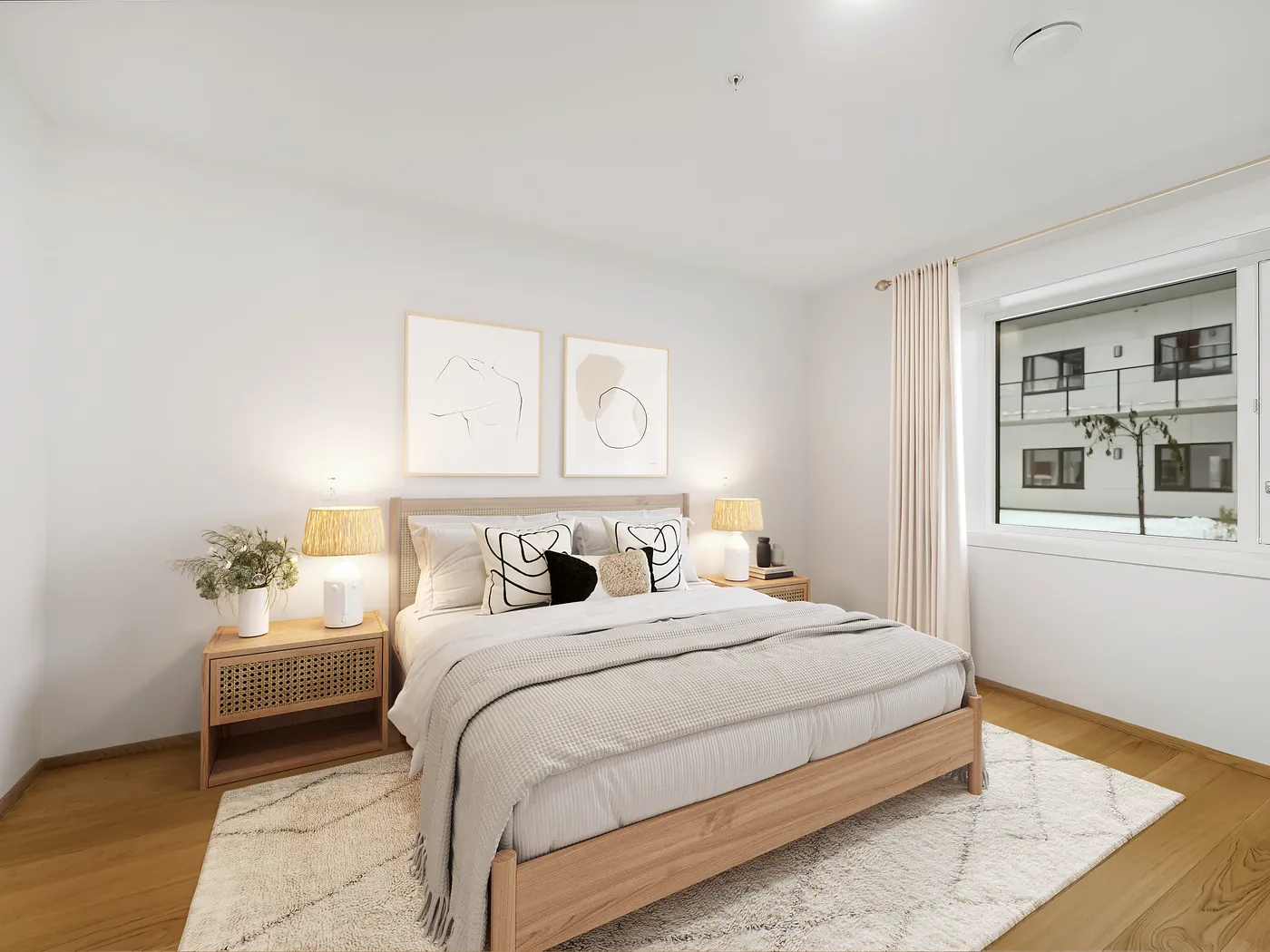
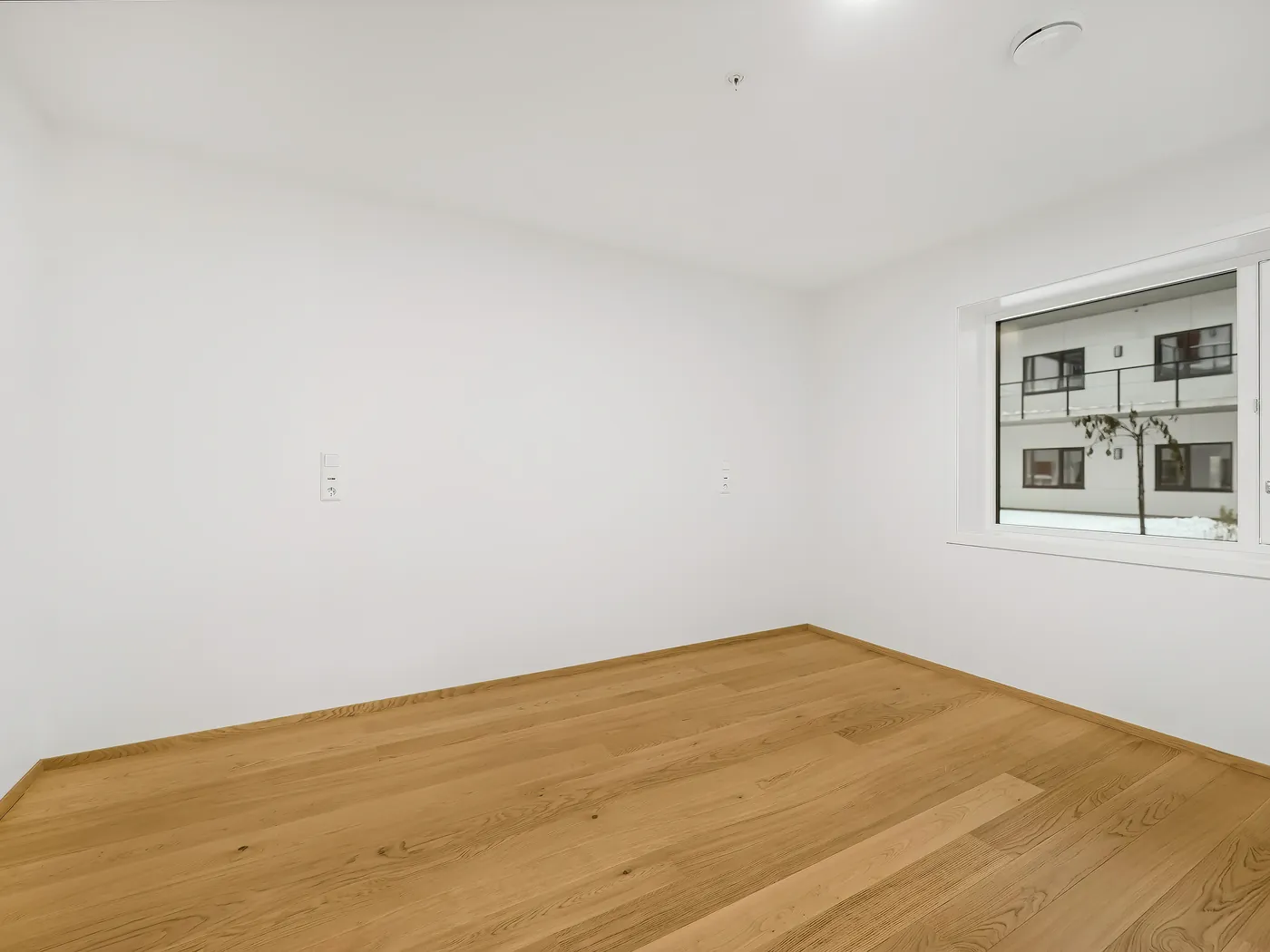
Before and after
Help buyers understand the room before they visit.
Vacant rooms can feel cold, small, or hard to imagine. Virtual staging gives buyers a clear sense of layout, scale, and lifestyle while keeping the original room believable.
Stage a Sample RoomStaging strategy
Virtual staging should answer the buyer's room question.
The strongest staging is not decoration. It shows scale, room purpose, and lifestyle fit while staying honest to the original architecture.
Living rooms
Use scale-appropriate seating, rugs, lighting, and decor so buyers understand flow and focal points.
Bedrooms
Match bed size, side tables, and styling to the property tier so the room feels believable.
Flexible rooms
Stage as office, guest room, nursery, or rental-ready space based on the likely buyer.
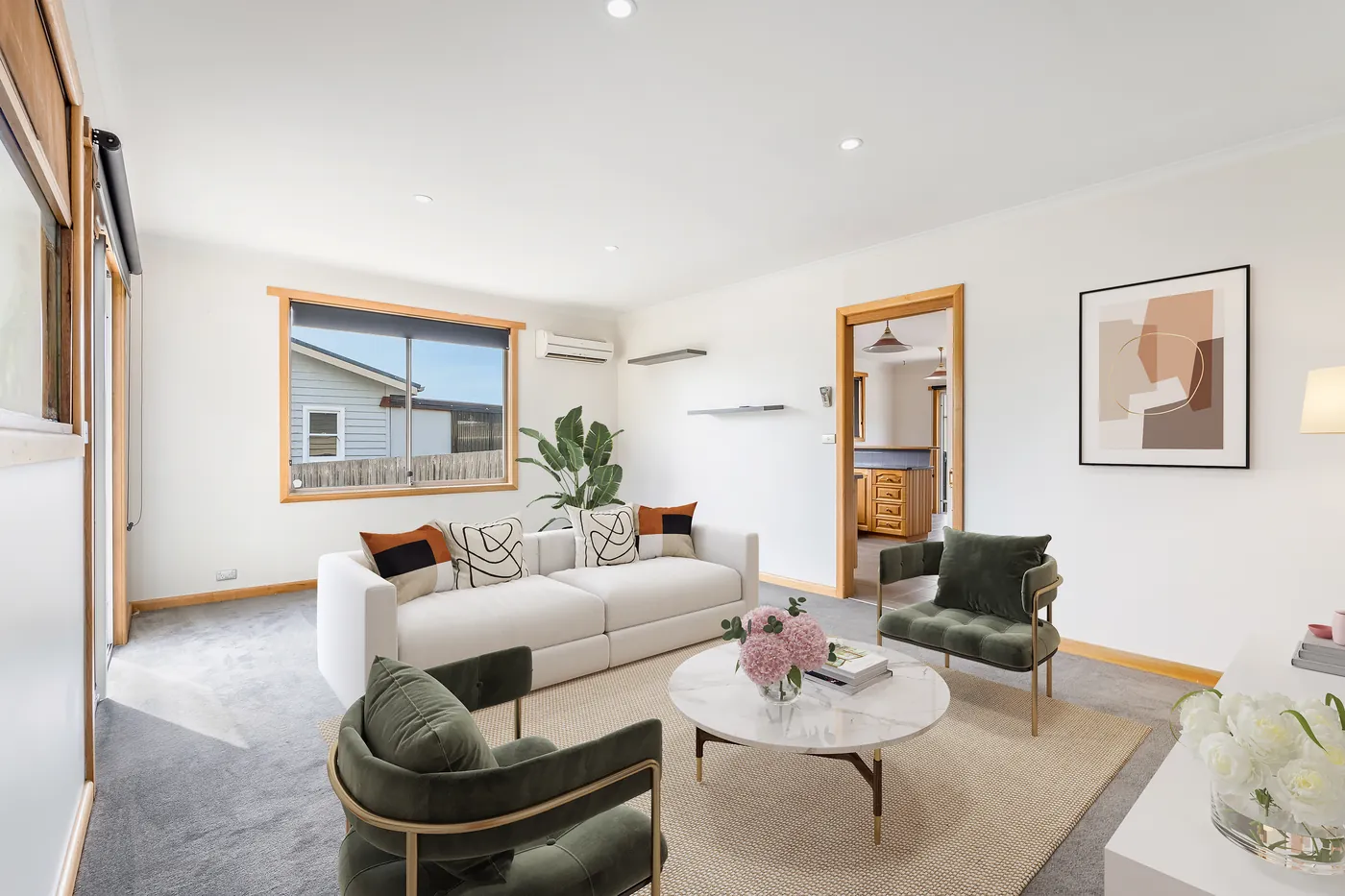
Staging check
Virtual staging should make an empty room feel easy to understand.
Good real estate virtual staging is more than placing furniture into a vacant photo. The room needs to feel believable at first glance, with sofas, beds, rugs, artwork, lighting, and decor scaled to the real walls, windows, ceiling height, and walking space. When the staging fits the property, buyers can picture how the room works instead of trying to guess what belongs there.
We review the room purpose, furniture layout, buyer style, shadows, and perspective together so the final image feels natural for listing sites, property websites, brochures, and social media. The result should help buyers imagine living in the space while still respecting the true shape and condition of the room.
Cost and staging choice
Use virtual staging when speed, room clarity, and online presentation matter most.
Many clients compare virtual staging vs physical staging because both can help a buyer understand a vacant space. The right choice depends on budget, timeline, room count, listing rules, and whether the image mainly needs to work online or during in-person showings.
Virtual staging cost comparison
Virtual staging is usually planned room by room, so it can be easier to control than moving physical furniture into every vacant listing.
Virtual staging vs physical staging
Physical staging can be powerful for showings, while virtual staging is faster for online listing images, remote properties, and quick marketing launches.
Best rooms to stage first
Living rooms, primary bedrooms, dining areas, and flexible spaces usually give buyers the clearest sense of scale and purpose.
Design direction
Choose a staging style that fits the property and buyer.
Good virtual staging should feel like it belongs in the room. The furniture style, scale, colors, and layout need to support the architecture and the buyer profile.
Modern neutral
Clean furniture, simple lines, and light decor for apartments, rentals, and broad buyer appeal.
Warm family home
Soft textures, practical layouts, and welcoming details for suburban homes and family-focused listings.
Luxury listing
More refined furniture, layered lighting, and polished decor for premium properties that need a higher-end feel.
Coastal or relaxed
Airy colors, natural textures, and lighter styling for vacation homes, beach markets, and sunny interiors.
Office or flex room
Desk, storage, seating, and practical room purpose for buyers comparing work-from-home space.
Rental-ready
Durable, simple staging that helps investors and tenants understand room use quickly.
What you get
Virtual staging details that make an empty room easier to understand.
The staging should answer buyer questions about scale, layout, lifestyle, and room purpose while still looking like it belongs in the original photo.
Furniture scaled to the room
Beds, sofas, rugs, tables, and decor are chosen to fit the real wall, floor, window, and ceiling proportions.
Buyer-specific styling
The room can feel modern, luxury, family-friendly, coastal, rental-ready, or investor-focused based on the listing.
Clear room purpose
Empty or awkward spaces can be staged as an office, guest room, nursery, dining area, gym, or flexible living space.
Realistic light and shadows
Furniture contact, shadow direction, reflections, and color are checked so the staging belongs in the photo.
Revision-ready direction
If the listing strategy changes, furniture style, layout, or room purpose can be adjusted without reshooting.
MLS and campaign files
Final staged images are prepared for listing portals, property websites, brochures, social ads, and agent presentations.
Photorealistic staged rooms
Furniture, decor, scale, wall contact, shadows, and perspective are checked so the final staged image feels believable.
Fast listing support
Virtual staging helps you prepare vacant rooms for sale without waiting on physical furniture, movers, or reshoots.
Revision-friendly workflow
If the first direction needs a different room use, furniture set, or buyer style, staging notes can be adjusted before final use.
Contemporary or traditional styling
Rooms can be staged toward contemporary, traditional, coastal, luxury, rental-ready, or property-matched looks depending on the buyer profile.
Buyer visualization support
The staging is planned to help buyers understand room purpose, furniture scale, traffic flow, and how the space could feel after move-in.
How the workflow runs
From empty-room photo to listing-ready staged image.
The workflow is built for fast turnaround and flexible design direction, with clear checks for scale, room purpose, and realistic output.
Send the empty-room image
Share the photo, room purpose, target buyer, and any listing notes. Clean, bright photos with visible walls and floors work best.
Choose the staging direction
Tell us whether the room should feel modern, luxury, family-friendly, rental-ready, coastal, or another style.
Review realism and scale
We check furniture size, shadows, perspective, wall contact, color, and whether the furniture fits the real room.
Use the staged image in the listing
Final files can support MLS, property websites, social posts, brochures, ads, and agent presentations.
What to send
Better instructions create better staged rooms.
Virtual staging is fastest when the editor knows the room purpose, buyer type, and style direction. If you are unsure, send the room and ask for a practical recommendation.
Send a Room for ReviewVirtual staging FAQ
Common questions before you stage a room.
Real estate virtual staging works best when the room looks believable, the furniture fits the space, and the final image helps buyers understand layout, scale, and lifestyle before they visit.
Clear, high-resolution photos of empty rooms work best. The floor, walls, windows, and room corners should be visible enough for realistic furniture placement, scale, and shadow direction.
Yes. You can request modern, luxury, coastal, farmhouse, family-friendly, rental-ready, or another style. Reference images help us match the look more closely.
Yes. The furniture direction can be contemporary, traditional, modern neutral, luxury, coastal, family-friendly, rental-ready, or matched to a reference listing.
If a room already has furniture, we may need furniture or object removal before staging. Send the image first so we can confirm whether replacement will look realistic.
Turnaround depends on room count, style direction, and revision needs. Many simple staging requests can be planned quickly, while large sets or detailed style matching may need a confirmed schedule.
Virtual staging can be worth it when vacant rooms feel cold, small, or hard to understand online. It helps buyers see room purpose, furniture scale, and lifestyle before they decide whether to visit.
Compare the number of rooms, speed needed, listing use, market rules, and whether the image is mainly for online buyer interest or in-person showing impact. Virtual staging is often the faster marketing option, while physical staging may help during showings.
Virtual staging creates staged listing images from photos, while physical staging places real furniture in the property. Virtual staging is useful for speed, remote listings, and online marketing; physical staging can support the in-person showing experience.
Disclosure rules vary by MLS, brokerage, and market. If your listing platform requires labels or notes for virtually staged images, tell us before delivery so the files can follow your workflow.
Yes. Revision needs depend on the brief, room count, and requested style changes. Clear notes about furniture style, room purpose, and buyer profile help keep revisions focused and fast.
Build a stronger listing set
Pair virtual staging with real estate photo editing.
Virtual staging works best when the full listing set feels consistent. Pair it with HDR, color correction, object removal, sky and lawn work, and final listing exports.