
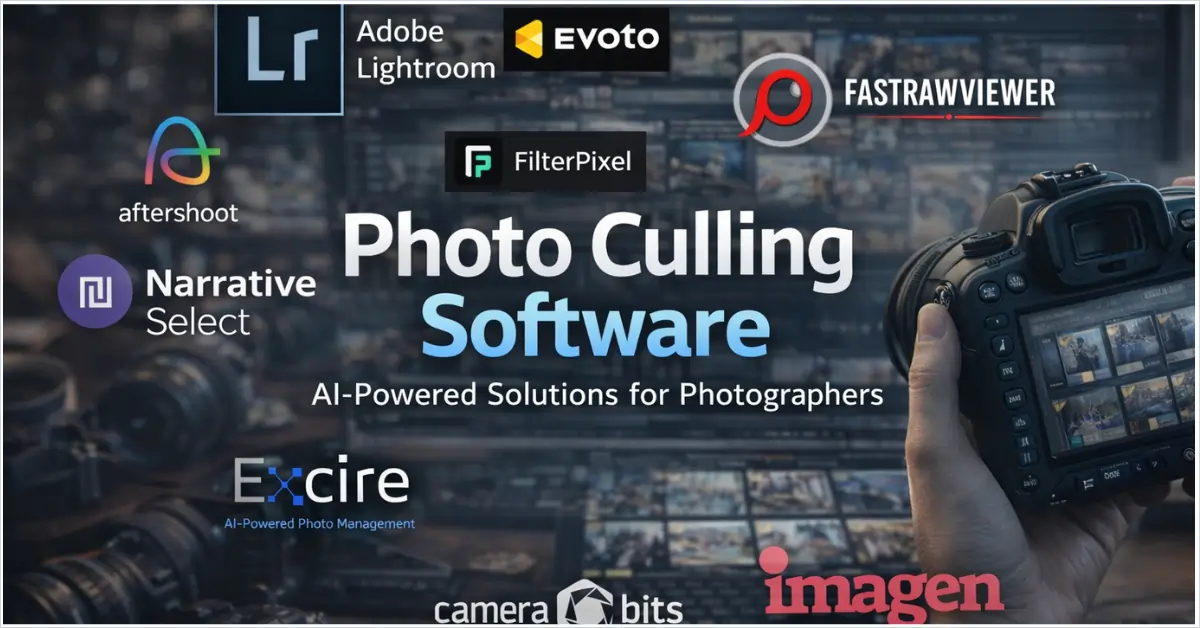
9 Photo Culling Software Options for Photographers Tired of Manual Culling

Photo culling software is often overlooked, but it can greatly benefit a photographer’s workflow. After being overlooked for so long, photo culling software has become the silent champion of photographic businesses. This type of culling software for photographers may not be seen publicly or on social media like Instagram, nor should it be added to a photographer’s portfolio. However, photo culling software will ultimately dictate whether a photographer wraps up their work at dinner time or at 2 AM.
Culling photos is repetitive, emotional and time-consuming; it’s not just about getting rid of bad/blurry images, but rather about protecting this moment in time by keeping the images that tell the story, including images of joyful tears, but “0” of the 11 photos taken of the first dance that look identical. Unlike other guides, this one was created based on how real photographers cull their work.
To create this guide, I spent many hours going through detailed tool tests, reviews and real-life comments regarding AI-based photo culling to compile them into an organized format that will help you now. There is no fluff in this guide, just realistic solutions to culling your photos when your workload is heavy and your time is short.
Table of Contents
What Is Culling in Photography?

The culling phase of photography can be the most frustrating because you are not being creative, like when shooting, and you aren’t receiving any immediate satisfaction, like when editing. The problem with culling photos, like all of the above, is that you are making so many decisions, which leads to fatigue. A wedding typically has between 3,000 and 8,000 pictures.
Typically, you’d shoot an event or sports day with 10,000 or more photos. In Lightroom, after shooting an event, you have to wait for each preview of all your photos to load, zoom in on all the ones with eyes open, and then flip back and forth between all the duplicates. Clicking through each of these images takes at least an hour before you begin to make any creative decisions.
Culling software for photographers has skyrocketed in popularity over the past couple of years. The best tools do not substitute for the photographer’s judgement; they remove obvious noes, group maybes together and allow you to focus your energy on images that are most important to you. After switching to a dedicated photo culling software, photographers have consistently reported 6-10 hours saved per week compared to using a manual culling method.
Understanding the term “culling in photography” is important, as it can refer to three different types of culling in photography.
Technical
This involves getting rid of images that have been misfired, have unintended motion blur, are out of focus or for which the flash did not fire. Reduce duplicates. For all of them, you should have shot a burst of at least 15 and kept at least 2 or 3 with different expressions and hidden the rest.
Story Edit
Choose one from each technically good set that moves the story forward; discard everything else, even though they may be technically good at the same time.
The purpose of culling photos is not to be excessively harsh; rather, it is to maintain the power of the image. A picture will appear less ‘powerful’ if it has several different versions of a laugh. The same two images with a laugh will retain more ‘power’ than five similar images.
In the past, we would use Lightroom or Bridge to carry out all three parts of the process. Both programs are primarily designed as editing tools and secondarily as browsing tools, and neither was created with the intention of comparing 12 similar-looking individuals or identifying who closed their eyes while posing with them until we had all of their images loaded in Lightroom or Bridge at once. Modern culling software for photographers have been developed specifically to bridge that gap between editing and culling in photography.
How AI Photo Culling Software Works
Before we can understand how AI photo culling software works, it is important to understand that culling in photography is a function of pattern matching to certain parameters. Most current AI culling tools are looking at 30+ different data signals that an image has:
- The level of sharpness
- Where the focus actually landed
- Exposure and highlight clipping
- Faces detected
- Eyes open or closed and head angle
- Smile and emotion scoring
- Similarity to nearby frames by time and composition
- Your past choices if you train it
- The company
Aftershoot performs an analytics analysis of the above factors to create a divided list of factors to either accept or reject at that shoot.
It is then capable of providing Burn Factor Filtering Options by thresholding (i.e., choosing the level of blur) or duplicating strength that will allow you to fine-tune the parameters to determine acceptable photos at that shoot for the purposes of culling your photos to your desired range (i.e., number of Keepers) through its use of a “Cull To Target” Slider.
Narrative Select has a novel way to get rid of automatic rejections. Using focus and eye scores rather than ignoring something because it does not meet an automated rejection criterion allows you to view all the faces in a close-up view. You remain in command of your images, only faster.
Imagen AI goes beyond just editing by allowing an editor to select images based on previously made edits being applied to those images, therefore judging what the client will ultimately see rather than what the RAW files would look like. This is important when considering the effect of both exposure and colour on how a moment “looked when it happened”.
Important to note: culling photos does NOT determine whether something is considered “art”. It will help you decide which images are usable/based on the technical parameters, and then place the others into groups to facilitate quick decisions made by the visual processor in your brain.
5 Questions to Answer Before Choosing Photo Culling Software
Before you select photo culling software for photography, 5 questions should be answered. I’ve looked at dozens of comparisons, and the top five criteria almost always appear in every single one of those comparisons.
1. Speed
How fast can it process 5,000 RAW files without going into a “beach ball” state? How quickly can it import your photos, seconds as opposed to minutes?
2. Accuracy
Does it detect closed eyes and an out-of-focus image but still retain the emotion in ( i.e., tears ) the victim’s eye, which was half-shut? Can you modify, change thresholds or retrain your selections? Or will you only have access to their default settings?
3. Workflow compatibility
Does the culling software for photographers take in images, rename them, add metadata and transfer the files cleanly into Light Room or Capture One?
4. Pricing model
Are you paying a flat monthly fee, annual fee, separate charge for each image, or a combination of any of the above? A monthly flat rate is always best if your business is processing many images.
All five of these concepts stem from real-world testing where speed, accuracy, control, workflow fit and overall price were used to rate respective AI photo culling software tools. Test out your selected options on a sticky note.
The 9 Best Photo Culling Software Programs for Professional Photographers
I tried the 9 best photo culling software programs used by professional photographers before determining which culling software for photographers would work best for me. Here are the results:
1. Aftershoot
Wedding photographers created Aftershoot to help eliminate the hours that they spend doing late-night culls. Currently, it is the most robust AI photo culling software available. The product allows you to import hundreds of RAWs, automatically group duplicates, flag blurry images, flag images with closed eyes, and flag images with poor expressions.
After that, the user can view the images in one of three modes:
- Survey mode
- Loupe (100%) mode
- Grid mode
Photographers appreciate its fast, flexible capabilities. For example, depending upon the capabilities of the computer you use (e.g., if it’s a higher-performance laptop with good specs), your computer will be able to do 400–800 RAWs in 5–10 minutes.
For example, you could shoot a wedding with 2,000 images and use photo culling software in a little over 20 minutes (for the first pass). Also, you can set threshold levels of either blur or duplicate strength and then use your cull to get the number of keepers you want.
According to actual user experiences, many creators using Instagram display complete import and cull walkthroughs accomplished within a few minutes. Multiple community members repeatedly reference the flat $120 yearly subscription, which does not charge a per-image fee, as their most prominent complaint.
The biggest hurdle for the professional user base is not speed, but rather, confidence/faithworthiness. Although professional users are reviewing AI culling images, the overall review process time has been reduced by approximately 90% vs traditional methods.
Ideal for: wedding and event photographers, as well as those who are looking for dependable and quick AI culling on images offline.
2. Narrative Select
Narrative Select – if you want AI culling assistance but also want more control over what gets culled. Narrative assistance does not reject anything. It helps you to expedite your ability to view (the number of) images.
Highlighted features include: every face in a group photo can be seen with the close-ups panel, and use the spacebar to jump to the sharpest face. Eye/focus assessments will quickly show you who has blinked. Image Assessments will remove the worst 20-30%, resulting in fewer total frames viewed.
Why this matters is that you have complete control creatively. The mechanical functions of the culling software for photographers don’t limit you, and you can work at your comfort level when editing pictures with the app. Photographers who cull while on the train or plane find it to be extremely quick with very little downtime, plus it works fine when there is no internet connection.
Free to use for a few culling pictures projects every month; full access costs around $150/year.
Best suited for: portrait, family and editorial photographers desiring assistance with culling photos, but want to retain ultimate say on final culling decisions.
3. FilterPixel

FilterPixel – best budget AI image culling for portraits and teams. FilterPixel is cloud-based and simple. Upload, let AI pick, review, export. This program has custom-built models for events, weddings and portraits that automatically flag closed eyes and blurred images, group similar frames together and can send the selected images directly to your client’s gallery.
Speed claims are under 3 minutes for 1,000 images – actual demo speeds show around 800 RAW images narrowed down to under 50 keepers in under 10 minutes. The processing occurs in the clouds, so even on entry-level hardware, you can still achieve this quick speed.
Advantages
- Inexpensive, typically between $10-$15 monthly
- Simple to use with a Lightroom plugin
- Great for photo studios that require multiple individuals to cull photos concurrently
Disadvantages
- There is not as much fine-tuning capability as with Aftershoot
- You must have access to the internet
Will work well for portrait shoots using controlled lighting – try before using this photo culling software for less technical photographic scenarios, such as receptions with uncontrolled lighting.
For: Solo Portrait Photographers, School Photography Teams, Anyone Who Is Looking for Fast & Inexpensive culling software for photographers.
4. Imagen AI Culling Studio

Imagen AI Culling Studio – Ideal if You Are or Want to Edit Using the Imagen Software. Imagen Is Known for its Immagine (Editing Service), but Their AI photo culling software addresses a genuine problem of judging Flat, RWAs & The Difficulty of Judging Flat, RWA Files Containing Raw Images.
You can preview your images with your personal AI editing profile attached in Culling Studio, and then decide to keep or reject the images. This means that you are making an actual culling photos decision based on how the image will be delivered, rather than having to guess how to recover the exposure to decide whether to keep or reject the image.
Instead of only approximating an image in its entirety from it, as used in the previous version, this new algorithm takes everything into account when determining which images should be processed further. In doing so, it helps to capture more emotional events, even if the images aren’t created technically correctly.
When working on 6K-8K images, photographers report they can choose their final images from a group of 1,500 (typically 3-5x faster than using the earlier algorithm) and complete the final editing of the story images themselves.
Who it’s good for: Wedding photographers who are currently using Imagen for their editing and are looking for one application to do both AI image culling and colour correction.
5. Photo Mechanic

Photo Mechanic – best for fast manual processing. No artificial intelligence. No waiting. Using the fastest possible way to ingest photos, get full-sized (100%) raw previews, tag, rate, and rename photos.
Because there is absolutely no delay between a shot being taken and the shot arriving at its destination (the sport or lifestyle photographer), sports and news photographers inhabit it (the world of zero-lag) when shooting.
You can shoot a full game from the sidelines and send your selections to the AP before Lightroom finishes creating previews of those very same images. If you prefer to have total control over your work and trust your eye more than an algorithm, this is for you.
The cost of using it is $139 per incident (one time) or approximately $150 per year if you choose to purchase the plus version annually.
Ideal for: reporters, actions and shooters facing intense competition on a high-resolution basis who require high-speed manual culling in photography applications.
6. FastRawViewer

FastRawViewer – Brilliance for professional or technical analysis of your RAW photographic images without waiting around while it loads and processes them is very convenient. FastRawViewer is an advanced and operationally effective tool used by seasoned professionals and experienced hobbyists to produce their RAW files through histogram viewing rather than embedded JPEGs, which may lie about whether your RAW file has been hit by pronounced sharpening, over-exposure.
Utilize FastRawViwer as step zero; run cards through it and flag items with miss-focused or blow exposure; then you import only technically correct items to your main photo culling software from those cards.
The software costs $25. You will make your money back the first time you avoid importing 1,000 soft photos into Lightroom.
Best suited for: Landscape photography, wildlife photography and anyone looking to eliminate images based on pixel perfection before doing so with AI photo culling software.
7. Excire Fotofinder

Excire Fotofinder 2025 – the best option for searching and eliminating images. Excire digitally connects its culling pictures and search capabilities to offer a very similar experience – tell Excire what to search for by including any combination of query terms (‘bride laughing, eyes open, outside’) over any 10 years.
Upon locating desired finds within that timeframe using its searching engine, create new culls for your current project inside that same workspace.
According to a review published in 2026, if you require both speed and accuracy from AI culling in the same solution, then Excire was mentioned previously as a viable option.
If part of your current frustration in moving forward is the difficulty you have in locating either old works or culling photos, Excire is the only hybrid that will provide what you need.
Ideal for: photographers with extensive digital archives who require both curating and cataloguing software for the photographic medium.
8. Adobe Lightroom

Adobe Lightroom Classic with AI Assist – best if you refuse to leave Lightroom Assisted. Adobe added culling in photography in the Fall of 2025. The feature automatically analyzes a particular folder of images, creates groups of visually similar images, auto-stacks them and suggests a star rating to the grouped images.
One demonstration shows 3,400 wedding images, narrowed down to approximately 1,700 as candidates for a three-star rating, completed in approximately 8 minutes.
The opinion of the community varies. Some users appreciate not having to switch apps. However, other users have experienced problems such as their app freezing, missing favorite items and frustration with increasing subscription prices.
If you’re currently using Lightroom to edit and keep under 1,000 images per session, it’s definitely worth a try.
Ideal User Base: Low Volume Professional, Hobbyist – Not Changing Software
9. Evoto

Evoto has only offered retouching until recently, they added AI culling to help “Cull” images; Find your focus on your photos. Evoto can help cull your pictures ten times faster.
Plus, while you cull, you can also retouch and sync across your computer, tablet and mobile. All-in-one workflow of portrait studios is something they greatly appreciate.
At the same time, critics are concerned about it creating a more homogeneous look across all businesses that use this type of workflow. However, for high-volume headshot photography or school picture taking, the time saved by utilizing the all-in-one photo culling software is significant.
Best For: studio owners looking for a subscription to use for both AI image culling via AI as well as retouching all under one roof.
| Tool | Speed | AI Culling | Manual Control | Pricing | Best For |
|---|---|---|---|---|---|
| Aftershoot | Very Fast | Yes | Yes | $15/mo or $120/yr | High-volume weddings/events |
| Narrative Select | Fast | Assist only | Yes | Free tier, then $150/yr | Portraits, editorial, control lovers |
| FilterPixel | Moderate-Fast | Yes | Yes | $10–15/mo | Budget portraits, teams |
| Imagen Culling | Fast | Yes | Yes | Subscription + edits | Imagen editing users |
| Photo Mechanic | Very Fast | No | Yes | $139 one-time | Sports, journalism, manual |
| FastRawViewer | Very Fast | No | Yes | $25 one-time | Technical RAW triage |
| Excire Foto | Fast | Yes | Yes | Paid | Search + cull hybrid |
| Lightroom AI | Moderate | Yes | Limited | $14.99/mo CC | Existing Lightroom users |
| Evoto AI | Fast | Yes | Yes | Subscription | AI editing workflow users |
Real-World Workflows: How Professional Photographers Use AI Photo Culling Software
The way professional photographers cull 2,000 to 20,000 photos. Old theory, real practice.
Overnight Wedding Photography Workflow
An event photographer starts with Aftershoot for initial culling photos and sorting, and then uses Imagen for editing overnight. By the time he gets up in the morning, he has a cull and color-corrected gallery of images that are ready for him to do a quick review and deliver timeline sneak peeks before breakfast.
The average wedding produces 1000 or more photographs, and the photographer consistently delivers results within 30 days because the first 80% of the work has been completed using AI photo culling software.
Music Festival Workflow
A photographer covering a music festival has shot about 2000 RAW images. The photographer’s first pass includes shooting each image and tagging it with five stars in Photo Mechanic. The images are then filtered down again, this time to an additional 200 or 300 images using an initial last pass with three stars, from which the last 10 to 15 will be delivered by the photographer on the same night.
Total culling photos time from the concert images was under 45 minutes since there was no preview lag at all during any portion of the process.
Hybrid Control Process
A portrait duo utilizes Narrative Select for family sessions. The portrait duo imports their family sessions into Narrative Select, and Image Assessment hides the top 25% of images automatically as they scan for images to compare close-up eye to eye on all images in the group.
The portrait duo does not auto-reject any images. The portrait duo estimates they have saved approximately 3 hours per week, providing them with the ability to maintain full creative say.
Duplicate Grouping Workflow
A photographer admits that he took 15 frames for each moment from the same shot. He uses FilterPixel to group the duplicates first, and he reviews them, selecting winners only from what he wants.
He states that by grouping the photos, he can compare them quickly, cutting his culling photos time by 50%. His shooting style remains the same as when he started before using FilterPixel.
Pay attention to patterns. People use photo culling software to complete easier tasks before selecting their final images with visual methods. Each step of the photo culling process will take you between 6 and 10 hours.
Step-by-Step Smart Culling Workflow
| Step | Workflow Stage | Description |
|---|---|---|
| Step 1 | Copy Memory Cards | Copy memory cards onto two separate drives using Photo Mechanic or your culling software. Rename files and add basic metadata. |
| Step 2 | Avoid Lightroom Import | Do not import everything into Adobe Lightroom until later to maintain performance and speed. |
| Step 3 | AI Initial Review | Use AI photo culling software to perform an initial review and flag blurry, closed-eye, and underexposed images. |
| Step 4 | Keep Rejected Images | Do not permanently delete rejected images. Move them into a rejected folder instead. |
| Step 5 | Group Duplicates | AI groups similar images based on timestamps and visual similarities into clusters. |
| Step 6 | Choose Hero Images | Review groups and select 1–3 best images based on expression and storytelling. |
| Step 7 | Story Pass | Review selected images in sequence and remove images that don’t support the story. |
| Step 8 | Select Target Count | Use tools like Aftershoot to choose a recommended number of final images. |
| Step 9 | Export Final Selects | Export only selected images to Lightroom or Capture One. |
| Step 10 | Time Savings | This workflow reduces culling time from 8 hours to under 90 minutes. |
7 Practical Tips to Make AI Image Culling Smarter
These gains in time have come from no longer having to wait for previews and no longer comparing each of those 12 identical images of that same moment.
1. Train It to Suit Your Preference
Train it to suit your preference by spending 20 minutes adjusting its picks over two shooting sessions – most AI photo culling software will learn from your adjustments. After training, you’ll see an improvement in accuracy because the AI now understands that you want motion blur with dance photos, but you do not want a lot of motion blur from speech events.
2. Use Models That Are Suitable for Your Genre
Use models that are suitable for your genre. If you’re taking model shots, a sports model will score more points for peak action, even if the person’s face is not facing the camera. If you’re using portrait models, the model will be given a higher score if the person’s eyes are open and crisp. The best and quickest solution for improvement in these outcomes is to switch model types.
3. Cull After Color When Necessary
When color is important, you should use the Color Works function of photo culling software to determine whether the photograph will produce a good final result regarding color. If you photograph at dark receptions and increase the exposure significantly, it is advised to only Cull after you have applied your preliminary looks.
The process that Imagen uses to cull your pictures through completed images will help you avoid rejecting images that may seem flat as a RAW but will have new life after being corrected for color.
4. Avoid Permanent Deletion
Prevent deletion by using all tools to move rejects into a folder and not the trash bin. You will recover at least one emotional frame (shoot) from each session that scored low due to partially closed eyes when using AI culling.
5. Use Keyboard Shortcuts
Utilizing keyboard shortcuts can speed up your workflow by at least three times, compared to clicking. Both Narrative and Aftershoot have similar keyboard shortcuts to Lightroom, so your muscle memory for those will transfer over.
You can view the grid with number keys 1 through 5, and pressing “X” will mark it as a reject (versus using your mouse).
6. Batch Process by Scene
After batch processing by scene (ceremony, portrait sessions, reception), your brain will be able to process more efficiently because it’s in the same context. Plus, you’ll get better AI culling groupings quickly.
7. Use Time Boxing
Also, create a time box—set a timer for 45 minutes. The pressure to make quick decisions helps most photographers; many of them report that they have their highest number of keepers while also eliminating second-guessing.
Biggest Mistake Photographers Make With Photo Culling Software
The biggest mistake I see with photo culling software is allowing AI to control everything. Culling software for photographers is very good for technical validation and weak for contextual criteria. The software would flag a tearful vow with closed eyes; you must save it.
Culling 5,000 images in Lightroom is possible, but it will be an unpleasant experience.
Therefore, culling photos should be done with separate photo culling software, and then importing the selected images into Lightroom is much easier.
Common Challenges & Solutions with AI Culling Software for Photographers
When you shoot multiple images, you will want to consider paying per image. If you’re shooting 30 weddings per year at an average of 4,000 images taken from each wedding, the total cost of paying $0.05 per image will be $6,000. This is much higher than the obvious savings you would benefit from using a $120 annual subscription.
One other savings when using Narrative’s Close Ups Panel (not including any of the other tools that come with Narrative’s Close Ups) will save you 20-30 minutes out of your life every time you’re doing large family formals. And if you’re still zooming in to 100% on each face, you’re working too hard.
The process of selecting images from an ungrouped collection is slow because it necessitates evaluating each image individually. It is more efficient if other images are located separately before you begin your selections to maximize the amount of time spent on selecting the best image. Any modern photo culling software engine will create and maintain groups of images automatically as you work with your selections.
Privacy Concerns With AI Photo Culling Software
Culled images do not contain adequate privacy, trust and/or confidence in quality, all missing in the current state of AI technology. The number one concern in comments is not accuracy; it is privacy.
Photographers ask:
- Is facial data stored?
- Are images used for training?
- Do clients consent to cloud processing?
It is best to utilize local processing tools when available. For example, Aftershoot and Narrative both do offline processing.
For cloud-based culling software for photographers like FilterPixel, familiarize yourself with the retention policy before signing a contract for its use and make sure to include a clause regarding AI-assisted culling.
AI Taste vs Photographer Style
Another challenge surrounding photography for AI culling is its understanding of “taste.” The majority of AI models were built using averages, so as such, they learn to prefer sharpness, open eyes and smiling expressions, all of which are commonly perceived to be positive.
However, that is not the case for every image. Blurry images due to artistic intention (such as motion) or raw emotion usually receive low scores from the AI.
The Imagen Team specifically mentions that they are developing methods to differentiate between these two types of blurred photographs so that photographers may have access to these frames.
It’s simple to resolve:
- Use AI photo culling software on the first round
- Manual control over the second round
- Save time and keep your style
Genre-Based Recommendations
Weddings
Weddings require quick sorting, duplicates in groups and being able to work offline. Aftershoot and Imagen are both capable of managing 6,000+ photos/files and allowing you to cull your pictures to a predetermined size for your final gallery.
Portraits & Families
Families and portraits have too many complications. It is better to focus on overall control vs. just being fast. Narrative Select can help you right away with getting the eyes checked on every person in a group and save your subtle expression from being inadvertently auto-rejected.
Sports & News
For school or sporting events or news events, it is a competition for speed and quick access to working with metadata. Photo Mechanic is still the best fastest method for getting your selections to your clients quickly.
Corporate Events
Volume is medium, turnaround is fast. FilterPixel or Evoto work well because they are simple, cloud-based, and multiple team members can cull photos at once.
Wildlife Photography
When photographers shoot wildlife, they often use manual because the prey rarely have faces and all the AI culling models are geared towards people. FastRawViewer for technical checks and Photo Mechanic for culling in photography is an often-used combination with wildlife.
Pricing Models
Pricing for photo culling software varies widely depending on whether you choose subscription-based, pay-per-image, or one-time purchase models. Understanding these differences can help photographers choose the best option for their workflow and budget.
Subscription-Based Pricing
Subscription-based tools are the most common option. These platforms usually charge monthly or yearly fees, offering unlimited usage during the subscription period.
Typical pricing:
- $8 to $20 per month for basic plans
- $100 to $200 per year for professional plans
- Unlimited culling depending on the platform
This option is best for:
- Wedding photographers
- Event photographers
- High-volume shooters
The biggest advantage is predictable costs. If you process thousands of images every month, subscriptions often become the most affordable option.
Pay-Per-Image Pricing
Some AI culling software charges per image processed. While this can be cost-effective for low-volume photographers, it quickly becomes expensive for professionals.
Typical pricing:
- $0.03 to $0.08 per image
- 4,000 images = $120 to $320 per project
This option is best for:
- Hobby photographers
- Seasonal photographers
- Low-volume studios
However, high-volume photographers should avoid this model because costs scale rapidly.
One-Time Purchase Options
A few tools still offer one-time purchase models. These are rare but can be valuable if you prefer to avoid subscriptions.
Typical pricing:
- $100 to $300 one-time purchase
This option is best for:
- Budget-conscious photographers
- Freelancers
- Small studios
The downside is that updates and AI improvements may require additional purchases.
The Future of AI Photo Culling Software
AI photo culling software is evolving quickly. Over the next few years, photographers can expect major improvements.
1. Style-Based Learning
Future AI tools will learn your editing and selection style more accurately. This means the software will understand:
- Your preferred expressions
- Your composition preferences
- Your storytelling style
This will reduce manual corrections significantly.
2. Full Workflow Automation
Soon, AI will handle the entire workflow:
- Culling
- Editing
- Color correction
- Exporting
- Delivery
This end-to-end automation will save photographers hours every week.
3. Real-Time Culling
Real-time culling is already being tested. This means:
- Images are culled during shooting
- Bad photos are removed instantly
- Only best photos remain
This could completely change photography workflows.
Frequently Asked Questions About Photo Culling Software
What is photo culling software?
Photo culling software helps photographers select the best images from a large set of photos. It removes duplicates, rejects blurry shots, and highlights the strongest images.
Is AI photo culling accurate?
Yes, most modern AI culling tools achieve 85% to 95% accuracy. However, photographers should always review final selections manually.
Does photo culling software work with Lightroom?
Yes, most photo culling tools integrate with Lightroom. You can:
- Import selections
- Apply ratings
- Transfer metadata
- Export picks
This makes workflow seamless.
Can beginners use photo culling software?
Yes. Most tools are beginner-friendly and require minimal setup. Beginners often benefit the most because they save time and avoid decision fatigue.
Is AI photo culling safe?
Most modern tools offer privacy protection:
- Local processing
- Encrypted cloud uploads
- Automatic deletion policies
Always review privacy terms before using cloud-based tools.
How much time does photo culling software save?
Most photographers report saving:
- 2–4 hours per wedding
- 1–2 hours per portrait session
- 30–60 minutes per small shoot
Conclusion
Photo culling software is no longer optional for high-volume photographers. It is a necessity. By choosing the right tool, learning smart workflows, and combining AI with human creativity, photographers can dramatically improve productivity and reduce editing time.
If you’re still manually sorting thousands of images, now is the perfect time to switch to smarter photo culling software and transform your workflow forever.
Read more Blogs
Why These 10 Open Source Photo Editors Are Powerful Enough for Professional Work
The Human Touch vs. The Algorithm: 10 Truths About AI Real Estate Photo Editing