
Ever seen a beautiful picture and thought, “I wish my pictures looked like that”? For a long time, it felt like that magical element—a professional touch—was locked inside expensive software that came with high monthly fees.
But here’s a great secret: you can get those same great, skilled tools for free. Happy to meet you! I’m glad you found the open source photo editor.
Do not make the phrase “open source” sound hard to understand. Well, the idea is actually pretty simple and strong: the software was created by a vast community of dedicated people worldwide – skilled programmers and artists, and ordinary users like you. These individuals all think that everyone should be able to use excellent tools for free. When you start using open source photo editing, you’re not just getting a program; you’re becoming part of a worldwide movement that encourages people to share, help, and make art without limits.
This is the most complete and friendly guide to the best free picture editors out there right now. We’ll go through each one of these in detail and explain everything in easy-to-understand terms. There are tons of amazing tools out there, and we will help you choose the best one for you by showing you how to use them in fun projects. Here is the list of the best open source photo editors that you can use instead of expensive software, or just as a simple tool to make your family photos look great.
Table of Contents
Why Pick an Open Source Photo Editor?
A closer look at the wonderful benefits
It’s not enough to get powerful tools for free. There are a lot more benefits to using open source photo editors than just those listed above. For creative freedom, long-term safety, and being a part of a lively community, it’s a good pick.
It’s really 100% free
This is the best advantage, and for good reason! There are no annoying “pro” features that you have to pay to unlock with an open source photo editor. There are also no hidden fees or regular subscription bills that sneak up on you. You get all of the software’s power for life when you download it. This freedom with money changes everything. This means that anyone, with or without money, can start using high-quality open source photo editing software. You can use the extra cash to pay for anything else you need to follow your dream.
There is a huge, helpful community ready to help you
If you have a question about pricey software, you usually have to deal with customer service that is not friendly. When it comes to open source photo editing, it is a different story. You will feel like you are part of a happy family where everyone shares your interests in open source photo editing and helps you to do your best.
This is what you will find in open source photo editing:
Active Online Forums
These are friendly places online where you can ask any question, no matter how simple or complicated it is. Users who have been where you are now will be able to help you and give you support.
A Universe of Free Learning Materials
People love to share what they know. Over one million free video tutorials, step-by-step blog posts, and in-depth guides can teach you how to use your open source photo editor to do just about anything you can think of.
You Can Really Be Heard
On a lot of these projects, you can talk to the people who are making the software directly. You can talk about the tool’s future and report bugs. You can suggest features that would be cool in open source photo editing.
There is no doubt that you can trust the software
Now more than ever, privacy is important. An open source photo editor gives you real peace of mind. Everyone can see and look at the program’s core code, which is also called its blueprint. This “many eyes” method is very helpful. Because security experts and fans are always looking over the code of open source photo editing software, any possible security holes are usually found and fixed very quickly. You can be sure that the open source photo editor is not doing anything like collecting your personal information or keeping track of how you use the software.
Most business software is made in a strict, “one-size-fits-all” way. On the other hand, an open source photo editor is like a strong set of building blocks. It gives you the freedom to make a desk that works well for you.
You can make your layout
You can move each panel, menu and button to get the layout you actually want. Think of it as arranging your desk in life so that all of your most-used tools are within easy reach.
Get free “Plugins” to add to your tools
This is where the magic happens. A “plugin” is a small, free item that can be added to your photo editor open source software to make it better.
Your art is always and forever yours
This is a very important advantage that people often forget about. Many times, when you use software from a single big company, your work is saved in a “proprietary” file format.
The open source image editing community is very passionate about “open standards.” Your work is saved in formats that can be opened by a huge number of programs, so you can always get to your projects.
Your art will always be relevant.
The 10 best free photo editors
It’s here! Our detailed list of the best open source photo editors. We’ll begin with the strongest and work our way down to the easiest and most specialized.
1. GIMP stands for “GNU Image Manipulation Program.”
GIMP is the best free picture editor there is, without a doubt. It is the world’s most powerful, well-known, and flexible open source photo editor. It’s been the best free option to Adobe Photoshop for more than 25 years and has grown into a huge set of tools that can do any job you give it.
Who Should Get It:
The Would-Be Professional: GIMP is a great way to learn the skills needed for professional photography and graphic design without having to pay a lot of money.
The Small Business Owner: Create your own banners, marketing materials, and graphics for social media and your own website without hiring a graphic artist or forking over a monthly payment for software.
The Digital Artist: If you’re more into painting, then Krita is better, but GIMP has some great drawing tools that make it an easy choice for artists who work with photos, too.
The Student: This software is good for art, design and photography students in need of proper tools and who don’t want to spend any money.
What’s Great About It (Key Strengths):
This program is very powerful and has all the professional tools you could want. It has advanced layers with masks, strong selection tools, color correction curves, filters, and a lot more.
You can change just about everything to get it working to your requirements. There are even themes you can get for it that will make it look and feel more like Photoshop.
Very Powerful: The real strength of it comes from the thousands of free apps that people have made for it. You can add new filters and functions that some paid programs don’t even have.
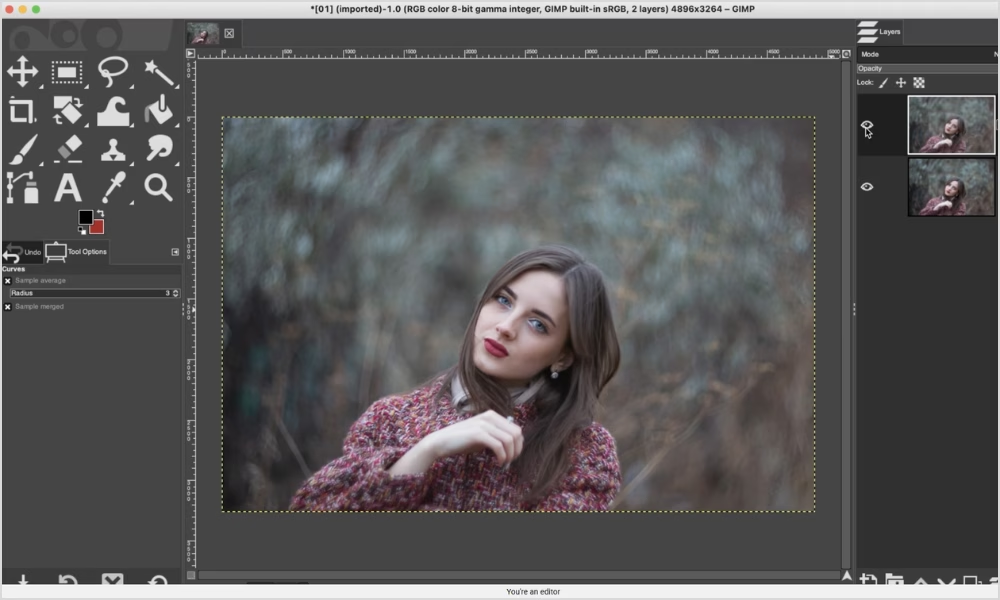
Opens Almost Any File: It can open and change files from a lot of different apps, even Photoshop PSD files.
Making a “double exposure” effect is a fun first project
Open a headshot picture of a person. The background should be simple and clean.
Open a second picture that shows a scenery or cityscape, like a forest of trees or the skyline of a city. Copy this picture.
Look at your face picture again. Put the scenery picture on a new layer that you just made.
Select the person and right-click on the portrait layer in the layers box. Then, choose “Alpha to Selection.” This will make “marching ants” follow the person.
Before you press the Delete key, choose your landscape layer and go to the menu. Then, click Select > Invert. This will get rid of everything in the scenery that isn’t the silhouette of the person.
Remove all of your choices (Select > None). Now, change the “blending modes” for the landscape layer in the layers panel. “Screen” or “Lighten Only” modes often make the scenery look like it’s inside the person, which is a beautiful and artistic effect. This method is very famous and stylish!
The learning curve is steep. There are so many tools and choices in GIMP because it’s very powerful. With time and effort, you will reap the rewards.
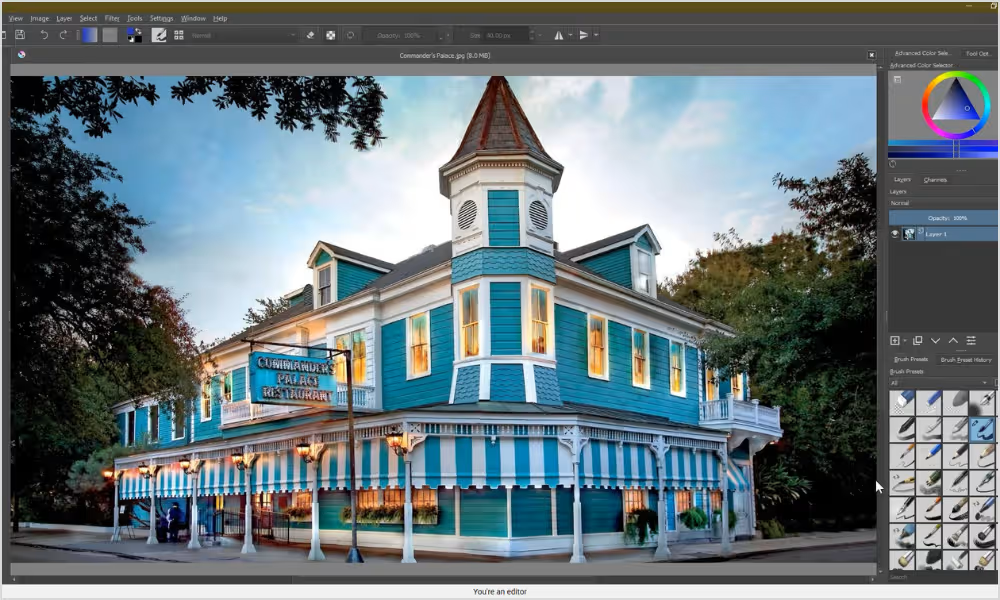
2. Krita
If you want to make digital art, Krita is the best program you can get for free. It is known around the world as one of the best programs for digital painting and drawing. It is also a great and very powerful open source image editor that anyone can use to give their photos a creative, artistic touch.
Who Should Get It:
Krita: For the Digital Artist. If you wish to make art rather than edit images, Krita is the best program you can get for free, an internationally known program for painting and drawing digitally.
For the Creative Photographer: Great if you consider photography only the starting point for your art.
That’s right, Krita’s fantastic brush engine will allow for high-end skin smoothing and retouching techniques such as “frequency separation.”
The Fantasy Artist: The best tool for combining photographs with hand-drawn fantasy-themed imagery.
Who it’s for: Anyone who likes to draw.
What’s Great About It (Great Feature):
The legendary brush engine: Krita packs more than 100 professional-quality brushes in its free package, all of which come with it right out of the box and all of which can look like charcoal, ink, oil paints and pastels, etc.
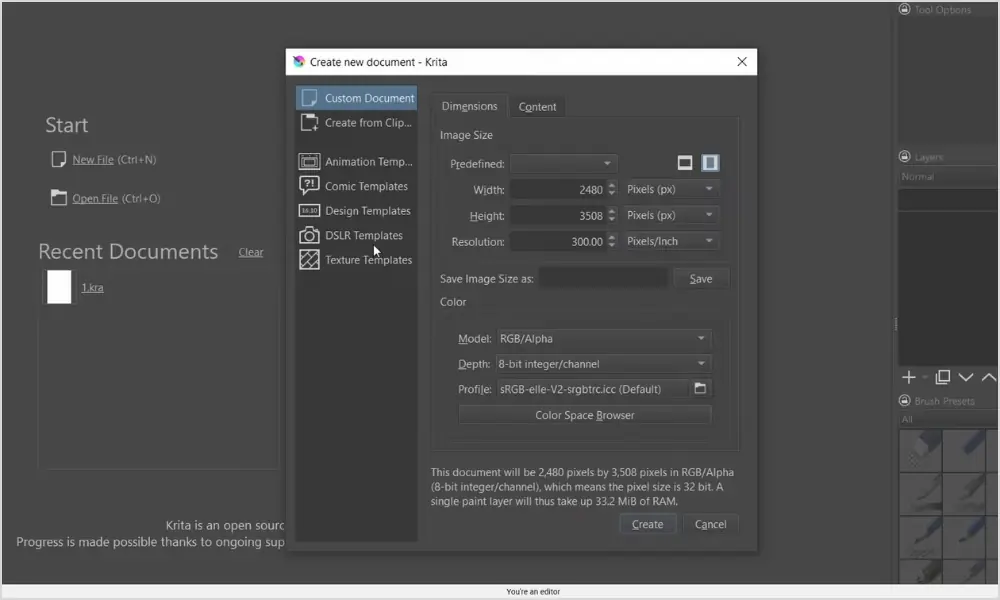
While “painting” on a picture to add light, shadow, or color, this gives you a lot of control.
Excellent Layer Management: Krita’s layer system is up-to-date and strong. When you work with paint layers, filter layers, and transform masks, you can do so without editing the original picture in any way.
Made for Artists: Krita is made to feel natural and easy to use for creative work. Its tools and clean interface are all meant to do this.
Making a “watercolor painting” out of a picture is a fun first project
Open a picture you like, like a scenery or flower picture.
Making a copy of the background layer will give you another one to work on.
Find Filter > Artistic > Watercolor in the menu. Slide the bars around until you get an artistic, soft look that you like.
You can find a paper texture picture online to make your pictures in open source photo editing look even more real. Search for “watercolor paper texture” to find it.
Place this image of a paper pattern on top of everything else, as a new layer. Change the blending mode of the paper texture layer to “Overlay” or “Multiply”.
The paper will blend in with your painted picture, creating a real folk art effect. This is the creative kind of open source photo editing that Krita does really well.
The learning curve is not so steep. It is easier to learn than GIMP, especially if you are already knowledgeable about art. It still takes time to get good at everything.
3. Darktable
With darktable, you can process photos on your computer like a professional, and it’s free. A lot of people think it’s the best open source photo editor for photographers. For organizing and creating RAW files from high-end cameras, it is the best. It’s not made for general graphic design.
Who Should Get It:
Serious Amateur Photographer: If you have a DSLR or compact camera and shoot in RAW, darktable is the best tool for getting the most out of your photos.
The Event Photographer: If you take a lot of pictures at events like weddings, sports games, or shows, darktable’s organizing and batch processing features will save you a lot of time.
The Landscape Photographer: tools for changing dynamic range, color, and level of detail make scenes look epic and dramatic.
What’s Great About It (Key Strengths):
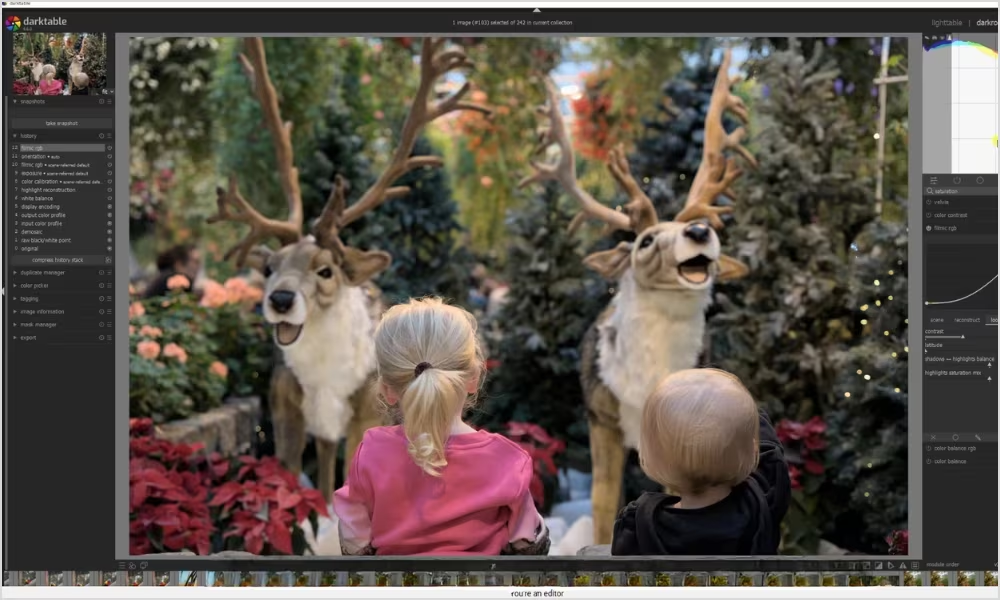
Professional RAW Processing: darktable uses the best picture data, which lets you make changes to colors, exposure, and details with amazing accuracy.
Fully Undeletable: Your original photos are never, ever changed. You can change or remove any edit at any time. It’s just a list of steps.
Open source photo editing has tools for organizing your photos: You can organize libraries of photos using star ratings, color labels, keywords and powerful search filters in open source photo editing.
Advanced masking is also easy in open source photo editing: It’s easy to make changes to some part of a photo. For instance, you could make the sky a deeper blue or brighten the subject’s face.
“Day for Night” is a fun first project
Open any picture of a scenery shot on an appropriately cloudy but still bright day, and then go to the “darkroom” and under “Exposure,” drag the slider all the way down to the bottom. The entire dark scene will look like night.
Track down the “Color Balance RGB” part. This is a strong tool for professionals. Use the color wheel on the “Master” tab to make the whole picture a deep blue or cyan. It will look and feel like a classic movie “night” with this.
Now comes the magic. Track down the “Tone Equalizer” part. Click on a bright part of the sky with the eyedropper tool. First, move that part of the curve up on the Tone Equalizer’s graph. This will make the “moonlit” sky brighter while leaving the ground dark. You’ve just turned daytime into night!
The learning curve is steep. Darktable is a very complicated tool made for photographers. It takes a long time to learn how to use its features and workflow.
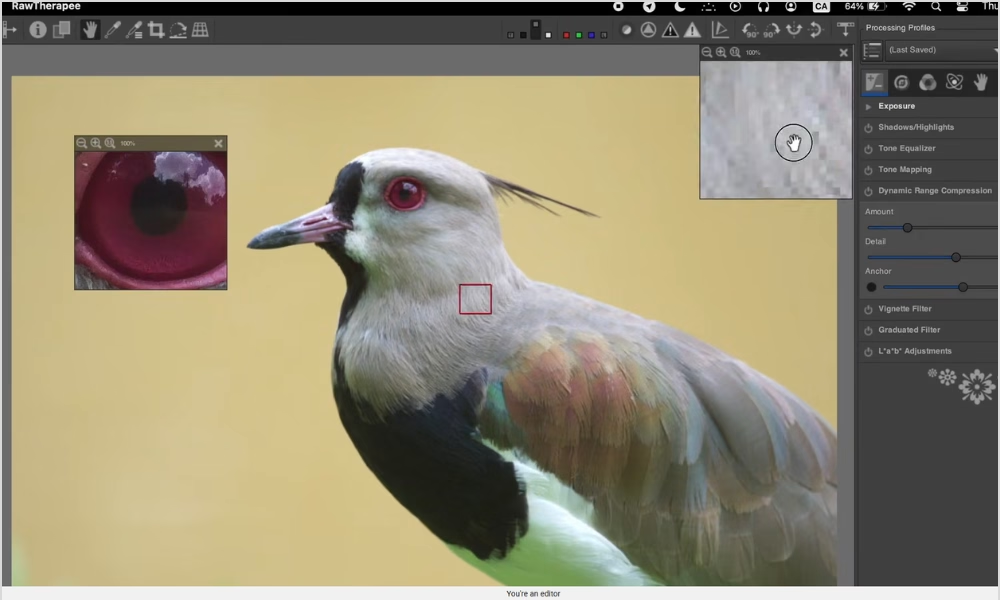
4. Raw Therapee
Like darktable, RawTherapee is a top-notch program for working with RAW pictures. This makes it one of the best candidates for the title of best open source photo editor. The picture quality is really important to some people. They want to be able to control everything.
The picture editor is for photographers who pay attention to details and love to mess around with settings to get the best results.
What makes it unique: It is famous for having complex algorithms that can pull out beautiful details from pictures. You’ll like how powerful this open source image editing software is if you like to zoom in to 400% to make sure the picture is clear.
5. DigiKam
DigiKam knows how to keep things in order. Its main goal is not to be an open source photo editor, but to be the best photo management app in the world. It’s meant to make even the most disorganized picture collections look better.
The picture editor is for people who feel like they cannot keep track of their photos. It works great for family historians, amateur photographers and anyone else who wants to find any picture they have ever taken.
What makes the picture editor unique is that it uses a powerful database-driven method. When it comes to free software, it has the best face recognition and search tools in the world. With a specialized editor like GIMP, it works great together.
The Quick, Easy, and Friendly Tools
There are times when a small tool is enough. There are times when you only need a tool that works quickly and easily. These open source photo editors are great for everyday jobs and for people who are just starting.
6. LightZone
This small tool that only works on Windows is a real find. No installation is needed for this tool, which is very fast and has a lot of power. This free image maker can be used from a USB drive.
Who It’s For: Windows users who want a quick-fix tool that they can take with them.
It’s great for quickly changing the sizes of 50 photos in a folder, so you can post them on a blog or for adding a label to photos before you share them.
7. Paint.NET
As far as Windows users go, this is a real standard. There is a great middle ground between very easy programs like MS Paint and very complex programs like GIMP in Paint.NET. You can learn how to use open source photo editing with this tool.
It’s for Windows beginners who want to learn about layers and effects in a safe and nice space.
It’s great for making funny memes, easy logos for school projects, or party cards with a few pictures and text.
8. Pinta
The goal of Pinta is to be a friendly, open source photo editor that is easy to use on Mac, Windows, and Linux. It was directly influenced by how simple Paint.NET is.
This picture editor is for anyone with a Mac or Linux computer who wants something easy to use. This is the app you have been waiting for if you want Paint.NET on your Mac.
It is great for making a quick how-to guide for a friend or coworker by taking a picture and quickly adding text, circles and arrows.
9. Photopea
This tool is amazing for its time. The picture editor is a powerful open source photo editor that only works in your web browser. Surprisingly, it works almost exactly like Adobe Photoshop. This makes the picture editor one of the most powerful editing tools that anyone, anywhere can use.
Everyone should use the picture editor. It is a lifesaver for kids using Chromebooks at school, people using computers in the library, or anyone who needs to make a change on a computer that does not have software installed.
It is great for a job with people where some do not use Photoshop, and others do. You can use the picture editor to open their files, make changes and save them back in the format, ensuring perfect compatibility for free. One of the best open source photo editors ever.
10. MiniPaint
As the name suggests, miniPaint is a simple, light tool that you can use in your browser. Privacy is what makes it stand out the most. Your photos are never sent to a website like many other online tools do; all the editing is done safely on your own computer.
It’s for anyone who needs to make a quick change that no one else can see.
You can crop a headshot for a job application or change the size of a picture on a friend’s computer without losing any personal files or software. You should add this great open source photo editor to your browser’s favorites.
Today is the start of your creative journey!
There are more, better, and free open source photo editors than ever before. There is a huge selection of high-quality, reliable, and free open source photo editing software that can compete with any paid program.
This is a great thing you do when you download and use a free open source photo editor. You will save money, but you will also be part of a global community, have complete artistic freedom, and know that your important work will be available for decades to come.
Your picture editor tools should not make you stressed out about money; they should make you happy. Give you power. You can find the open source photo editor for you, on this list, whether you want the power of GIMP, the creativity of Krita or the speed and ease of use of Pinta.
Pick the picture editor that interests you and give it a try. Start your project after watching a fun getting-started video on YouTube. What you can make will seriously amaze you. Your next lovely picture is ready for you to make it come to life.