
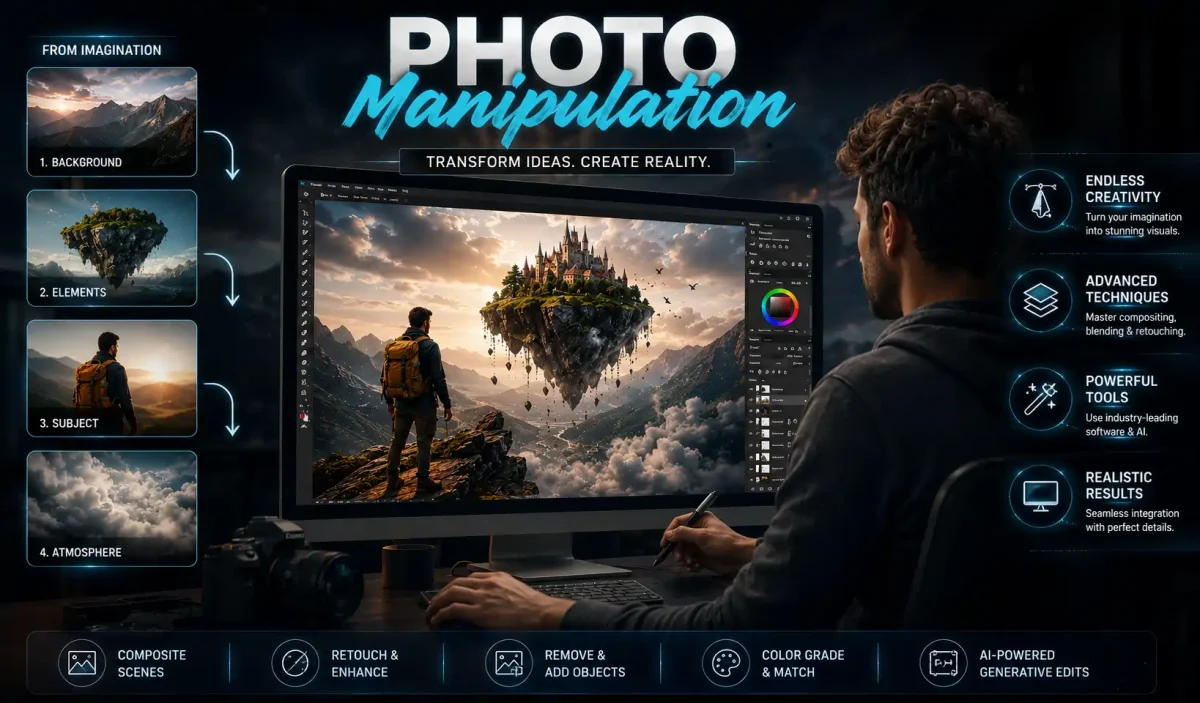
The truth is captured by the camera, while the person using it could be lying. You witness these deceptions every day of your life.
For example:
- A travel influencer posing on a deserted beach in Goa during prime vacation time
- A skincare product advertisement depicting smooth, poreless skin
- A WhatsApp video of a politician at an event that did not occur
All of these types of images are created through the use of the same basic skills.
Table of Contents
What is Photo Manipulation?
The manipulation of a photograph occurs by any means, either utilizing traditional analog techniques through a darkroom or creating new original images with digital editing software for purposes beyond the scope of what was created.
This guide explains photo manipulation, how it differs from ordinary editing, and the techniques used to create composite images. Explore its history, ethical considerations, and practical applications in photography and digital art.
Therefore, whether you are a student studying photography in Delhi or a small business owner creating product photos for Amazon, wedding photographer in Jaipur, or an Instagram content creator using reels, this guide will provide you with a definition of photo manipulation and offer information on the tools necessary for perfecting your photo manipulation skills while ensuring that you take advantage of the many business opportunities presented through the practice of photo manipulation.
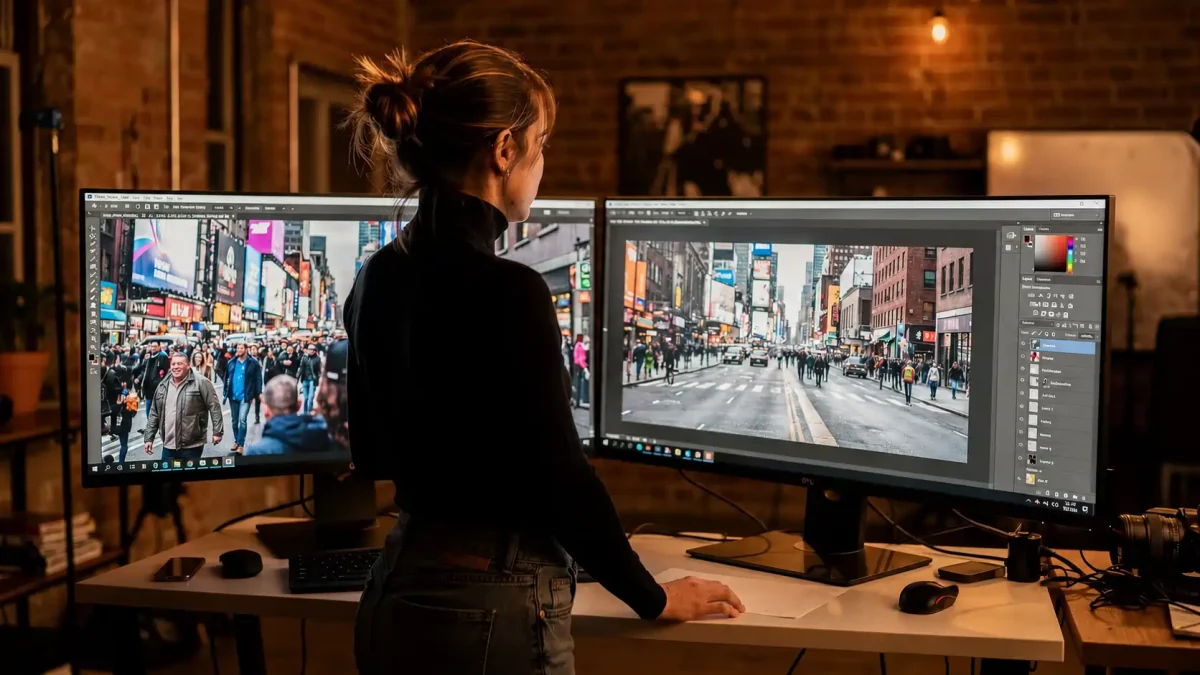
Here are three levels of manipulation to make it crystal clear:
Level 1: Basic Alteration or Clean-Up – Photo alteration includes such things as eliminating a pimple, stray wire, dust spot on the sensor, or minor debris in the background. Technically, this is photo alteration; however, most professionals classify it as advanced retouching because it does not modify the meaning of the photograph.
Level 2: Alteration of Content – This is where true manipulation begins. Removing an entire person from a group photo, changing a grey sky to a sunset, changing someone’s head to another person’s because they blinked, or adding text on a blank billboard. Similarly, each of these images is still plausible, but they are factually incorrect.
Level 3: Surreal Composite – is created for photo manipulation by way of creative photography. An example of this would be a Royal Enfield motorcycle flying in the Himalayas with a snow leopard riding it or a chai stall floating in space above the Earth. The final image consists of 5-10 source images and is meant to look as if it is real, though in reality it can’t exist.
Editing is distinct from manipulation based on what happens to the photo after it has been edited. Both topical editing and digital editing can use various types of software, but editing a photo answers the question “What can I do to make this photo look good?” Manipulation, on the other hand, answers the question “What can I do to change the meaning of this photo?” Therefore, that change in question marks is what separates a tech-craft from an artist’s creative process.
Photo Manipulation vs Photo Editing vs Image Editing
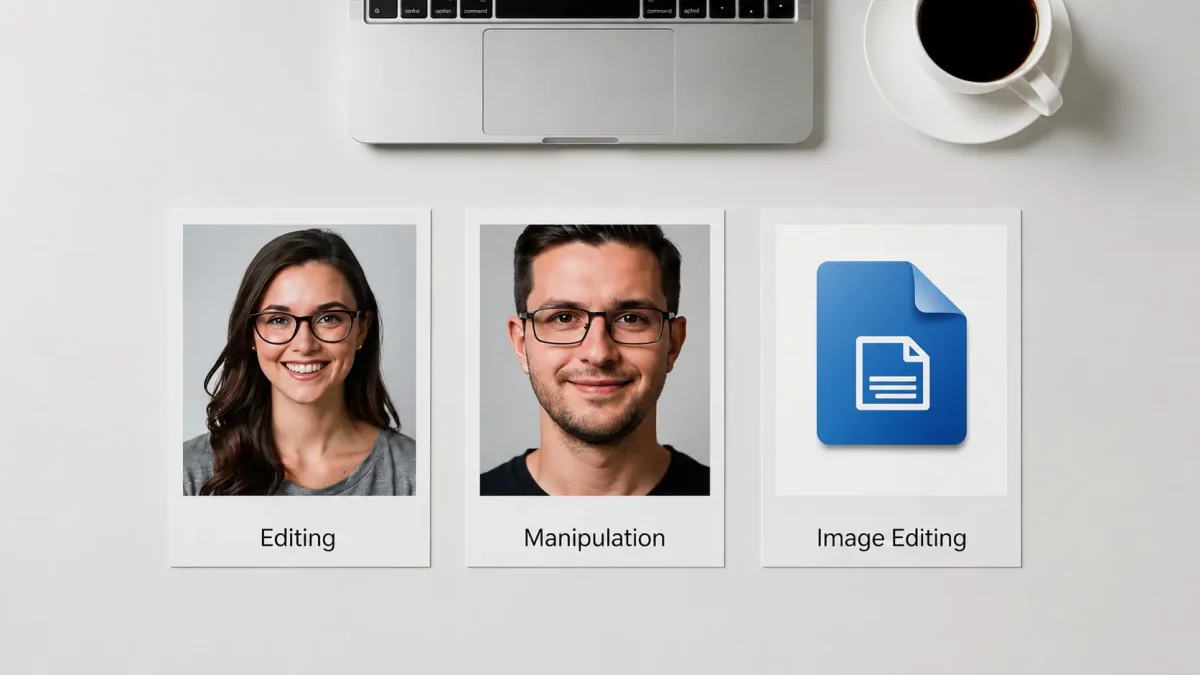
Hours of wasted time and thousands of dollars worth of unrealized expectations will be the price tag associated with beginning your adventure in the digital world if you get confused by these terms; when you search “photo editor vs. image editor,” you’ll find a lot of different answers out there; below I’ve provided you with an ultimate breakdown of what I use at my own studio in Mumbai (Bombay) and New Delhi for these two tools.
Visualizing the relationship can be done by thinking of three concentric circles; with image editing being the largest circle encompassing everything, and photo editing as the circle that fits into it, and photo manipulation is the circle that heavily overlaps both photo editing and image editing.
Primary Action: Edit Global Properties / Add, Remove, Combine Local Elements
As mentioned before, the core goal of image editing is to enhance and correct reality, while the core goal of photo editing is to create or alter realism. On the other hand, the core goal of any technical changes to digital files within all three categories is to improve the quality of the file.
Common Tasks:
- Exposure, white Balance, Contrast, Cropping, Sharpening, basic Skin Retouching
- Swapping heads with another Subject; changing components; changing the background to a Surreal effect; removing an Object from the picture; Changing Body Shape
- Converting an image from JPG to PNG; Resizing for Amazon to 2000 px; Compressing for Web Publishing; Changing the D.P.I. from 300
Example:
- Editing a wedding photo to adjust the Colors for a more warm appearance & have a realistic shade for the skin
- Putting the sofa product Shot Photo into a Living Room Picture With No Existing Background for Pepperfry
- Resizing an image for use on Meesho requires the following tool set
Tools: Lightroom, Snapseed, VSCO, Capture One, Photoshop, Affinity and GIMP. Any. As above, plus several free online tools, including TinyPNG.
Skills required: Beginner to intermediate skill level, Intermediate to advanced skill level. Beginner only.
Example of when to use photo editing and manipulation: A portrait you shot at Lodhi Garden has skin tones that are too yellow due to the late evening sun. You want to improve the contrast of the image, but do not want to lie about where it was taken. This is pure editing.
Times when photography manipulation is used include: a photo was taken of a model in your small studio (Noida), and the client wants them to look like they were at Marine Drive, Mumbai, during the monsoon. You will need to cut out the model and insert it on a new background with matching rain, reflections and lighting. Classic example of photography manipulation.
When to use Image Editing: Your photographer delivered a 45 MB TIFF file, and you need a 400 KB JPEG for your Shopify website that loads fast on mobile. This is pure technical image editing.
One of the most significant errors that photographers make is using the term ‘editing’ when describing extensive beauty retouching and/ or enhancements. If you are modifying a jawline (e.g., creating an alternate shape), modifying the size of an eye by 30%, and/ or altering a person’s proportions significantly in a photograph for a fashion brand, you have engaged in photography manipulation. The resultant photograph does not give an accurate depiction of the person.
That’s why organizations such as the NAD (National Advertising Division) now require a disclaimer to be placed on beauty advertising that has been extensively retouched, indicating that the final image is not a realistic representation of the model’s body. Understanding these differences will not only protect your rights, but it will also help you charge your clients appropriately – the price for manipulation is generally 5x the amount charged for normal editing.
History of Photo Manipulation
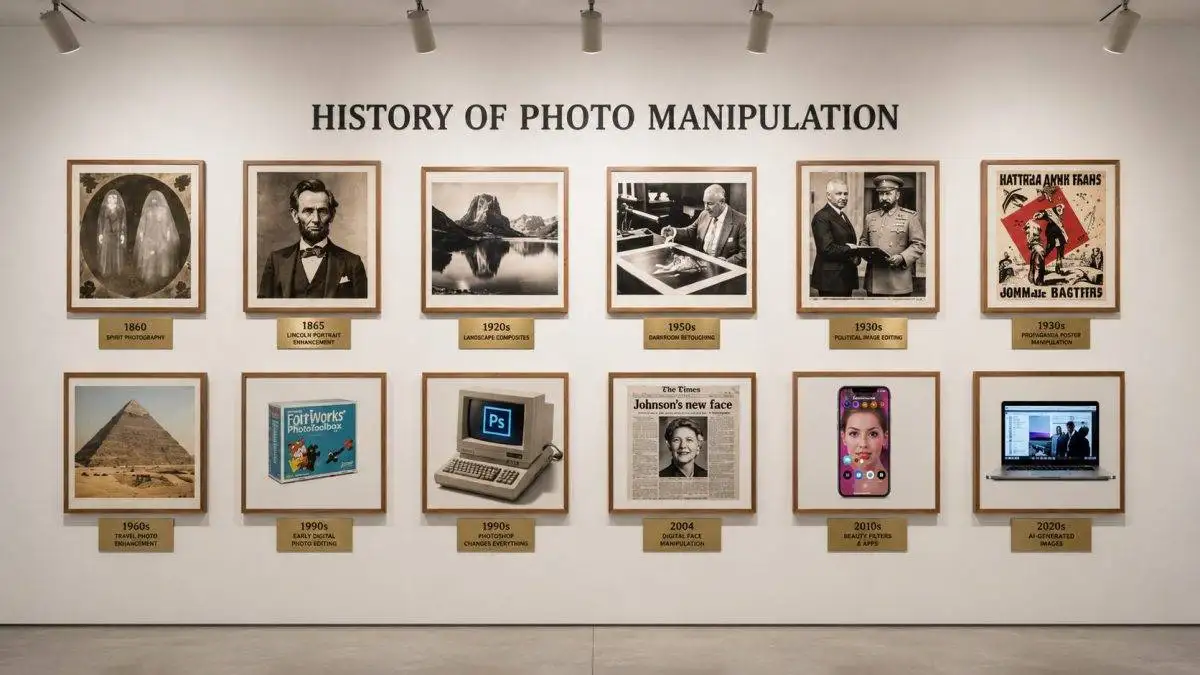
Everything you know about image altering, specifically photo manipulation, may not have originated or begun with Photoshop in the 1990’s. Still, photo manipulation has existed as long as there have been photographs.
1830’s-1860’s: Birth Of The Fake Photo
Photographers began editing together negatives very shortly after the first picture was produced in 1825 by Nicéphore Niépce. The 1860s saw the rise of spirit photography, which claimed to photograph spirits by double exposing negative plates and misled families who were in mourning for their deceased. The first famous political fake occurred in 1860, when the head of Abraham Lincoln was placed on the body of Southern politician John C. Calhoun. This image was believed to be real until a historian discovered that the placement of the mole was wrong.
1900s-1930s: Art and Propaganda
The art of dodging and burning was pioneered by photographers in dark rooms, like Ansel Adams, who produced brilliant and evocative landscape images that could not be captured by the camera alone. While photographers created beautiful works of art, which were intended to amplify their authenticity, totalitarian governments created beautiful works of art through repression and purging.
In the Soviet Union, for example, Joseph Stalin had individuals like Leon Trotsky removed from photos alongside the infamous Lenin, and this form of “photo alteration” was used to cleanse the public record of political crimes and erase the memory of individuals.
1930s-1970s: Photomontage as Protest
In satirizing Hitler and the Nazis, artist John Heartfield employed the technique of sharp photomontage, cutting and pasting photographs to manipulate the subject matter and produce an image that conveyed a truth that differed from the facts by using falsehoods.
The composograph was an invention by Bernarr Macfadden in journalism that consisted of staging news events with actors and producing the appearance of real faces of those involved, which creates an illusion of a real event, but it is not. Fake news existed prior to the internet.
1980s: The Digital Dawn
Artists able to paint on photographs directly with the Quantel Paintbox ($200,000+) were referred to in magazines like National Geographic as having the ability to manipulate their photographs digitally; for example, the magazine that published an image on its front page where they brought the pyramids in Egypt together so they would be able to fit in a vertical format in 1982 set off the first major ethical discussion about digitally manipulated photographs.
1990: Photoshop Changes Everything
Adobe Photoshop 1.0 was released for Macintosh computers. This made it possible to manipulate photographs at home, without having to go to a photographic studio. In the early 1990s, there were a number of allegations of companies altering photographs for commercial or political purposes (the O.J. Simpson mugshot was retouched and published on the cover of Time Magazine in June 1994).
2000s: Democratization
Since digital cameras and Photoshop CS were introduced, photo manipulation has become a common thing in society. The Kerry-Fonda incident in 2004, where John Kerry was digitally altered to look as if he attended a protest with Jane Fonda, was an example of how manipulation of political images can affect an election.
2010s: Mobile and Social
With the advent of Instagram filters, beauty mods became commonplace. Apps such as Facetune made it possible for millions of teenagers to smooth out their skin in a single touch. In 2013, four absent staff members were digitally inserted into a congressional photo in the United States.
2017-Present: The AI Era
Deepfake originated as a word in 2017. By 2023, Adobe Firefly had made Generative Fill available to all users of Photoshop, enabling users to enter any words into Photoshop’s text box (such as “add a crowd”) for the artificial intelligence (AI) to add that item and also create appropriate shadows.
Types of Photography Photo Manipulation
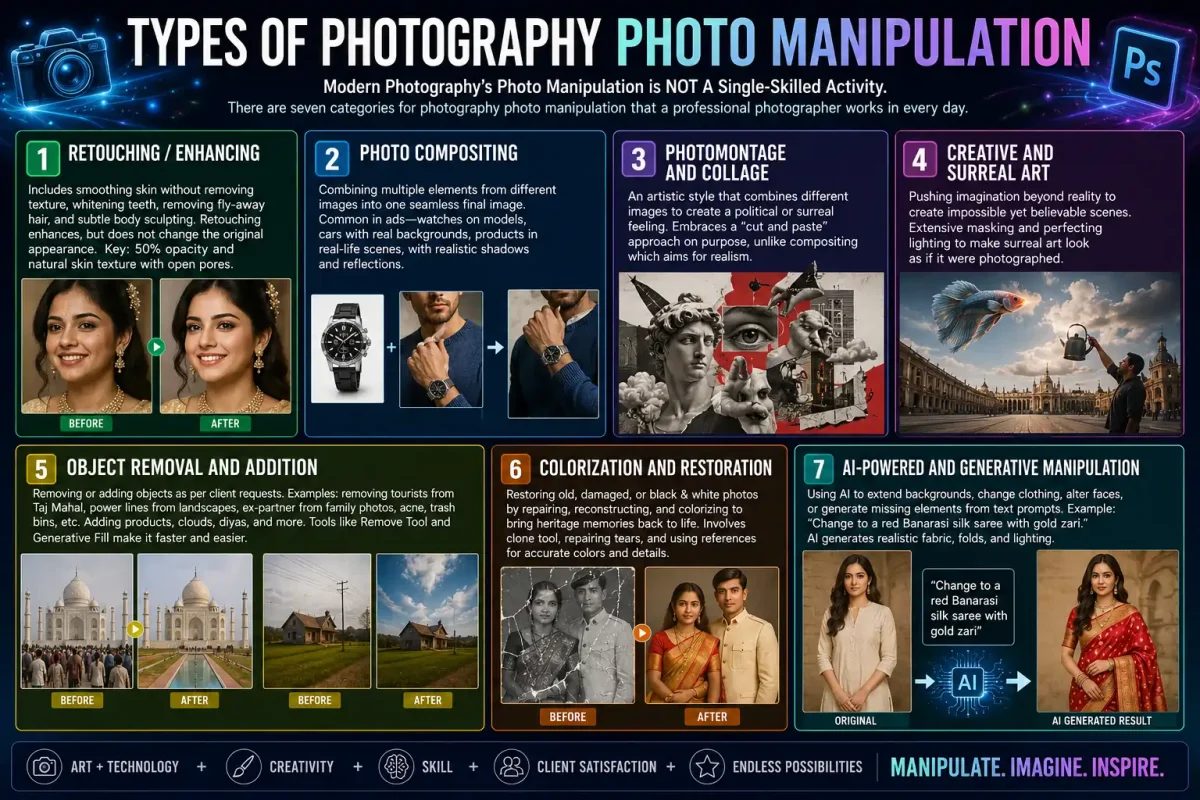
Modern Photography’s Photo Manipulation is NOT A Single-Skilled Activity. There are seven categories for photography photo manipulation that a professional photographer works in every day.
1. Retouching / Enhancing
For weddings and fashion, this is the most commercially viable form of photography. It includes smoothing out the skin without removing any textural detail, whitening teeth, removing ‘whispies’ (fly-away hair), and subtle body sculpting.
While basic clean-up constitutes editing portrait images, modifying the overall facial structure or skin texture to change how the photograph originally appeared is referred to as ‘photo alteration.’ There is one main aspect of creating a photo-manipulated image that will retain its natural elements: manipulating at 50% opacity and having the appearance of open pores on the face.
2. Photo Compositing
The foundation of professional use and the essence of Photoshop photo compositing (photoshop photo manipulation). Compositing means combining various elements from different images into one final composite image, where all the different parts fit together seamlessly. An e-commerce company takes a wide shot of a watch against a white background.
Then it uses a compositing artist to put that watch onto the wrist of a model shot separately. They then have to create shadows and reflections to integrate all the elements. All advertisement images of cars are composites; typically, the car will be computer-generated (CGI), and the background a real photo from a location like Ladakh.
3. Photomontage and Collage
Photomontage is much more artistic, and often, on purpose, less visually pleasing than traditional photos. This style combines different images to create a political or surreal feeling. Whereas compositing tries to create a true-to-life produced finish, photomontage purposely embraces a “cut and paste” style.
4. Creative and Surreal Art
Creative manipulation with photography crosses the line into imagination. Creative creators can create a photographic-like image of something entirely impossible. You can imagine an image of a fish swimming through clouds at Connaught Place, or a person pouring out the Milky Way from a stainless steel chai kettle.
This is the predominant form of art seen in Art Station and Instagram art. Creating these types of images will utilize extensive masking and perfecting light sources in order to make them appear as if they were taken with a lens.
5. Object Removal and Addition
Real estate and wedding photographers have many different requests from their clients. Examples of an exclusion request include: take out all of the tourists in a photo of the Taj Mahal, take out power lines in a photo of a farmhouse in Goa, take out an ex-partner in a photo of a family, take out acne or trash bins from photos of a newlywed couple, etc.
Examples of an inclusion request include: adding products into a lifestyle scene, adding monsoon clouds to a dull photo of the sky, or adding diyas to a dark photo of Diwali. The Remove Tool and Generative Fill in Photoshop make this process much quicker than the former clone stamp method.
6. Colorization and Restoration
Restoring damaged, faded, torn or black and white heritage pictures through proper manipulation is a method of restoration that creates images of your ancestors using colour, sharpness and detail as they originally were. The process involves reconstructing the missing areas in the photos using the clone tool, repairing the torn areas of the photographs and, if possible, using old photographs of the same people wearing sarees or uniforms to colour the sarees or uniforms correctly. Studios across world that restore photos for NRI customers have a huge business.
7. AI-Powered and Generative Manipulation
The latest and rapidly expanding variant of this generation. This involves the use of artificial intelligence (AI) to extend background images beyond the original frame, to alter the clothing of a model or change the model’s face or to generate additional new pieces from text-based selections. For example, if I were given a plain kurta that a model wears, then typed “change to a red Banarasi silk saree with gold zari”, then the AI would create realistic folds of fabric and add appropriate lighting to the image for the new clothing item. This is changing the definition of image manipulation; thus, you no longer need to have perfectly reproduced images to manipulate; you can generate all missing pieces from newly generated images.
Essential Tools for Photoshop Photo Manipulation
Your choice of tool depends on budget and goal. Here is the 2026 landscape for creators.
Professional Desktop:
- Adobe Photoshop: Photoshop is still the premier option for manipulating photographs in Photoshop. The new Generative Fill, Generative Remove Tool and Select Subject AI will allow you to accomplish much more in a much shorter amount of time than before. They are essential to creating high-quality composite images.
- Affinity Photo 2: The best value alternative to Adobe Photoshop. It offers almost all of Photoshop’s features for masking and blending without an ongoing monthly subscription. It is an ideal program for freelancers.
- GIMP: GIMP is a powerful, open-source software program available that can be used for photo editing; therefore, if you’re working on a strict budget but need a capable program for photo editing and manipulation, GIMP will provide everything you need. GIMP does have a steep learning curve.
For Mobile Devices and the Apple iPad: Lightroom Mobile (Free or Premium) is the most efficient option for quickly editing color and performing minor healing edits while you are on the go. PicsArt and Snapseed dominate the market for fast, creative edits such as double exposure images and creations for sharing on social media. With the new addition of almost all of the desktop compositing tools available on PCs, you can now use an Apple Pencil with your Photoshop on iPad.
You must purchase a colour-calibrated monitor if you are serious about your work. Laptop monitors that are too bright will give your edits a “dark” appearance when viewed on other phones. A basic monitor calibration tool can easily be purchased for about ₹8,000 and can help prevent you from losing clients due to your edits looking different from the actual images.
Realistic Compositing Using Pro Workflow Steps:
- Concept & Gather: Collect 3-5 high-resolution source images that have similar lighting direction and time of day – this is 50% of the work.
- Rough Cutout: Use the Select Subject tool to create an approximate cutout and then use Select & Mask to refine it. Save the selection as a layer mask (do not erase).
- Match Perspective: Utilize the Transform > Distort and Vanishing Point filter in order to position your subject at the right location within the scene.
- Match Lighting: Set up a Curves adjustment layer clipped to your subject, then, after creating the layer, use an Eyedropper tool and match the black and white points to those found in the background.
- Use Match Color or an adjustment layer (like a Hue/Saturation layer) to remove color casts in your work. Shadows are never black. All shadows will be blue or brown in nature.
- Create believable-looking contact shadows with your brush tool in a new layer (you can set the layer to Multiply mode and 40% opacity). This is the one step that will sell the illusion of depth from contact between two surfaces.
- Final Composite: Include total ‘grain’ effect; apply motion blur to distant objects, as a method of creating depth, and use final color grading to create uniformity throughout your entire photograph, making each image one image. Utilize smart objects so you can always work in a non-destructive way.
Ethics & Manipulating Photographs (manipulation in photography)
Knowing how to do manipulation is easy today. Knowing when you should is the real professional skill.
News Vs Documentary: No grey area
There is no room for negotiation. The NPPA Code of Ethics states: “You shall add some information not contained in the source.” This is also true of the World Press Photo contest. You can adjust exposure, crop and manipulate your photograph so that the composition looks its best; however, the pixels in your image cannot change the original fact. In 2022, an award-winning photographer had his awards rescinded for “cloning” out a plastic bottle on the beach (making it seem like there was no plastic bottle on the beach). In a news context, the camera is not supposed to lie.
Advertising & Commercial
The NAD (National Advertising Division) for beauty products that have been digitally altered, so there must be clear disclosure of such alterations (e.g., changing body shape/skin texture). Providing an accurate colour representation of the product, however, does not allow you to present the product with a non-existent feature.
For example, using a photograph of a hotel room in OYO that has been digitally edited to appear to be twice its actual size would not be considered a consumer law violation, but would instead constitute deceptive trade practices. There are ways to ethically enhance the visual appeal of an item (i.e., using photography) without producing unrealistic or misleading consumer expectations.
Art & Social Media
The issue of Ethics in this context is both transparency and mental health. Surreal works of art are assumed to be so untrue that they are appreciated for being so. However, beauty filters on platforms like Instagram and TikTok set unrealistic expectations of beauty for young people. Evidence from AIIMS in Delhi suggests that using heavy filtering has increased rates of body dysmorphic disorder and anxiety among people who were heavily filtered. If you create art, you may want to provide a label on some of your more heavily retouched pieces that states the pieces have had “Digital alterations” on them.
Political and Deepfakes
By 2026, this will be one of the most dangerous areas. We’ve already witnessed the use of deepfake videos of politicians prior to state elections. The IT Rules 2021 obligate the platform to delete reported deepfaked content within 36 hours. It is illegal to create a false image for the purposes of inciting communal violence or to defame an individual under the IPC sections for Forgery and Defamation. Additionally, you should always clearly watermark any AI-generated political content with “AI”.
You can assess the ethical quality of an image using the following criteria: Are there any criteria a reasonable person would use to determine whether the information contained in the image was manipulated? If so, that is a clear indication that you need to be forthcoming with revealing the true nature of the image.
Where You Can Learn About Digital Photo Manipulation and Get Assistance
For success in photo manipulation, there are two things required: top-notch source material and structured practice, rather than relying solely on randomly produced YouTube tutorials. To start out with quality source material, many content creators in world will use resources such as Unsplash, Pexels or the Adobe Stock Free Collection (for high-resolution images), which are available at no cost.
After acquiring your source materials, many creative individuals use free tutorial videos from sites such as Adobe YouTube channel or PiXimperfect for general use to learn how to mask.
For individuals needing high-quality composites from an expert level for their commercial needs but unable or unwilling to take the time to learn advanced masking techniques, it’s often a good business choice to outsource this type of service to a dedicated studio. An example of this type of studio is Pixelshouters, which provides professional-level image retouching and digital composite processing for both e-commerce and creative projects. By using this service, you have the opportunity to learn from seeing the end product from a professional retouching point of view when reviewing the completed files, as well as offloading a complex portion of your image production to a third party while allowing yourself to remain focused on photography.
7 Pro Tips for Realistic Photography Manipulation
- Sketch your idea before opening Photoshop: If you want to rapidly make adjustments or additions, you should write down all the elements that are required for your final product: a background plate, a subject, a foreground, and where the light is coming from.
- Locate Good Quality Source Images: As with most things in photography, your finished composite can only ever be as good as the quality of the highest-quality photo used to create it. Try to use RAW photos whenever possible.
- Learn About the Direction of Light: When you begin to work with colour, you need to find out where the source of light is located.
- Daily practise with masking & selections: Cut out difficult items such as hair/fur/trees using masks in 15 minutes of your time each day.
- Understand Blending Modes in Depth: Most times, you can’t use just normal mode.
- Be Aware of Color in The Shadow: There are no entirely black shadows; they all contain the color of their environment and that of the sky.
- Add Last Flaws: Clean images usually look too sterile and computerized. Real images have noise, chromatic aberrations, and slight blurring.
Mistakes, Spotting Fakes, and Future
Mistakes Often Associated with New Photographers: Not using proper perspective, Over-sharpening, Reflective Surface Issues, different resolution photos will never look right when combined.
How to Spot a Manipulated Photo in 2026 (picture manipulation)
Due to AI, finding true fakes can be increasingly challenging; however, there are still some key signs to look for. These include: shadows that appear inconsistent; hairline edges that appear either sharp or fuzzy; mirrors/reflections do not match; skin has no pores; and areas around people’s bodies appear distorted.
Future of Manipulation in Photography
The anticipated evolution in the area of photo manipulation is to be very much prompt-based and real-time. By 2027, all cameras will have the ability to do generative fill in-camera.
FAQs About Photo Manipulation
1. What is the difference between photo manipulation and photo editing?
Photo editing makes a singular image look better, through adjusting things such as light and color or crop, but does not change the story of that image. Photo manipulation, on the other hand, changes the story of the original image by adding to it, taking away from it, or combining elements from multiple images.
2. Is photo manipulation illegal?
For example, manipulating an image could be an illegal act when that manipulation is done to commit fraud by creating false documents (such as fake Aadhar cards).
3. What is the best software for beginners?
Use free tools initially when learning about photography. For basic editing, use Snapseed on Mobile and for fun or creative things, use PicsArt.
4. What is image manipulation in simple words?
Image manipulation involves changing an image file with a computer application or manipulative method to change how that image appears compared to the original photograph.
5. Can you do photo manipulation on a phone?
You can do almost all social media edits using 80% of what’s available on a phone today.
6. Is using AI considered manipulation?
Absolutely yes, there is no doubt about it! The use of Generative Fill (or any form of AI) to add or change pixels is the most sophisticated way to manipulate a photograph.
7. How long does it take to learn photo manipulation?
One day of learning basic object removal from YouTube. Realistic light-matching compositing typically takes three to six months.
8. Why do my composites look fake?
Ninety percent of all fake-looking images can be attributed to 3 causes: incorrect lighting direction, incorrect colour temperature, and lack of contact shadows beneath objects.
Q9 – How Much Should I Charge to Do Manipulations?
Basic Background Removal: ₹50-150/image. Advanced Compositing for E-Commerce: ₹500-2000/image. High-End Creative Surreal Art: ₹5000+/image.
Conclusion
We originally asked ourselves, “What is photo manipulation?” And after 19 years of exploration, our answer has become much more complex than a dictionary definition. While originally a simple Photoshop filter, it has evolved into an entire practice with a history of 190 years — starting with scissors & darkness in darkrooms & continuing with erasing photographs for political reasons by Stalin, up to the emergence of artificial intelligence (AI) capable of creating images of people who have never existed.
Real estate editing needs stricter boundaries
Photo manipulation can be creative, but real estate editing has a different standard. Edits should improve presentation without hiding material facts or changing the property in a misleading way.
That is why professional listing edits focus on believable cleanup, color correction, exposure balance, and transparent visual improvement.